Advanced Recording
Perfectionnez vos enregistrements
DIS (Digital Image Stabilizer, SCL750/L770 only) Stabilisateur d’images (SCL750/L770)
FRANÇAISENGLISH
35
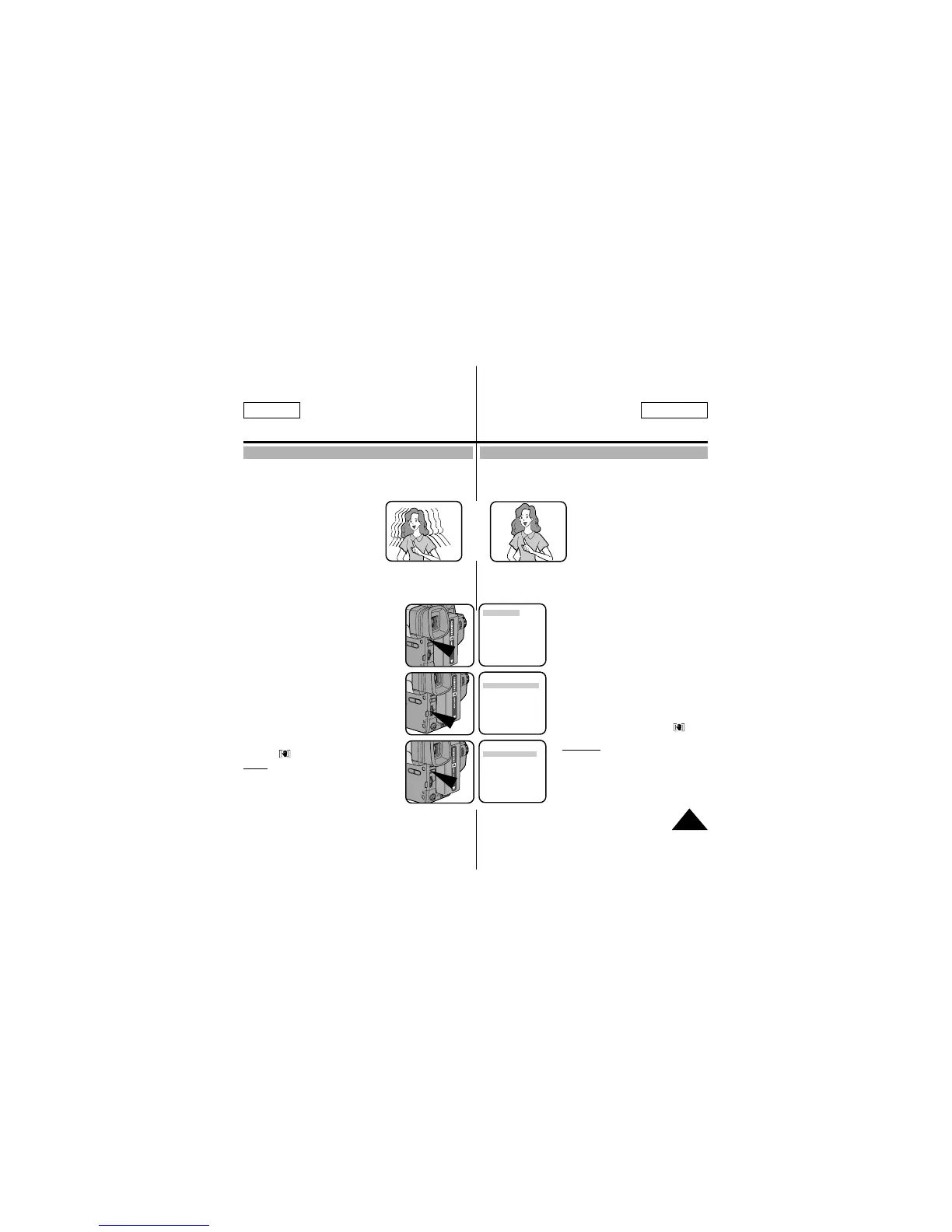
✤ The DIS function works in CAMERA mode only.
✤ DIS (Digital Image Stabilizer) is a handshake compensation
function that compensates for any shaking or moving of the
hand holding the camcorder (within reasonable limits).
✤ It provides more stable pictures when:
■ Recording in the Zoom In mode
■
Recording a small object close-up
■ Recording and walking at the
same time
■ Recording through the window
of a vehicle
1. Set the power switch to CAMERA mode. (See page 18)
■ Open the LCD monitor and adjust it to see comfortably.
2. Press the MENU ON/OFF button.
■ The MENU list will appear.
3. Turn the UP/DOWN dial to DIS.
4. Press ENTER.
■ The DIS setting will change.
5. Press the MENU ON/OFF button to end
the setting.
■ When the DIS is set, the DIS mark
()
will displayed on the OSD.
Notes:
1. It is recommended you deactivate
the handshake compensation
function when using a tripod.
2. The DIS function will not operate
in the DSE mode.
3. The MENU ON/OFF function will
not operate in EASY mode.
✤ La fonction EIS n’est disponible qu’en mode Caméscope.
✤ La fonction de stabilisation d'images (touche EIS) compense,
dans des limites raisonables, le léger tremblement qui peut sur-
venir en filmant.
✤ Ainsi, une bonne mise au point est
assurée lors d’un enregistrement:
■ en mode zoom,
■ d’un petit objet de près,
■ en marchant,
■ à travers la fenêtre d’un
véhicule.
1. Placez le commutateur principal sur la position CAMERA.
(voir page 18)
■ Ouvrez l’écran LCD et réglez-le de façon à obtenir la
meilleure visualisation possible.
2. Appuyez sur la touche MENU
ON/OFF.
■ La liste des menus s’affiche.
3. Sélectionnez l’option DIS à l’aide du
bouton UP/DOWN.
4. Appuyez sur ENTER.
■ Le réglage de l’option DIS change.
5. Appuyez sur la touche MENU
ON/OFF pour quitter le mode de
réglage.
■ Lorsque la fonction DIS est
activée, l’indication DIS ( )
s’affiche.
Remarque: 1. Il est préférable de
désactiver la fonction de
stabilisation d’images
lorsque vous utilisez un
trépied.
2. La fonction DIS ne
fonctionne pas en modes
DSE.
3. La fonction MENU ON/OFF n'est pas disponible
en mode EASY.
➔
➔
LCD ADJUST
DIS........................OFF
D.ZOOM................OFF
PIP........................OFF
DISPLAY ..............ON
WHITE BAL ..........AUTO
WL REMOCON ....ON
NEXT: MENU
LCD ADJUST
DIS........................OFF
D.ZOOM................OFF
PIP........................OFF
DISPLAY ..............ON
WHITE BAL ..........AUTO
WL REMOCON ....ON
NEXT: MENU
LCD ADJUST
DIS........................ON
D.ZOOM................OFF
PIP........................OFF
DISPLAY ..............ON
WHITE BAL ..........AUTO
WL REMOCON ....ON
NEXT: MENU



 To Next Page