FRANÇAISENGLISH
51
Setting the Date/Title Color Régler la date/la couleur du titre
Advanced Recording
Perfectionnez vos enregistrements
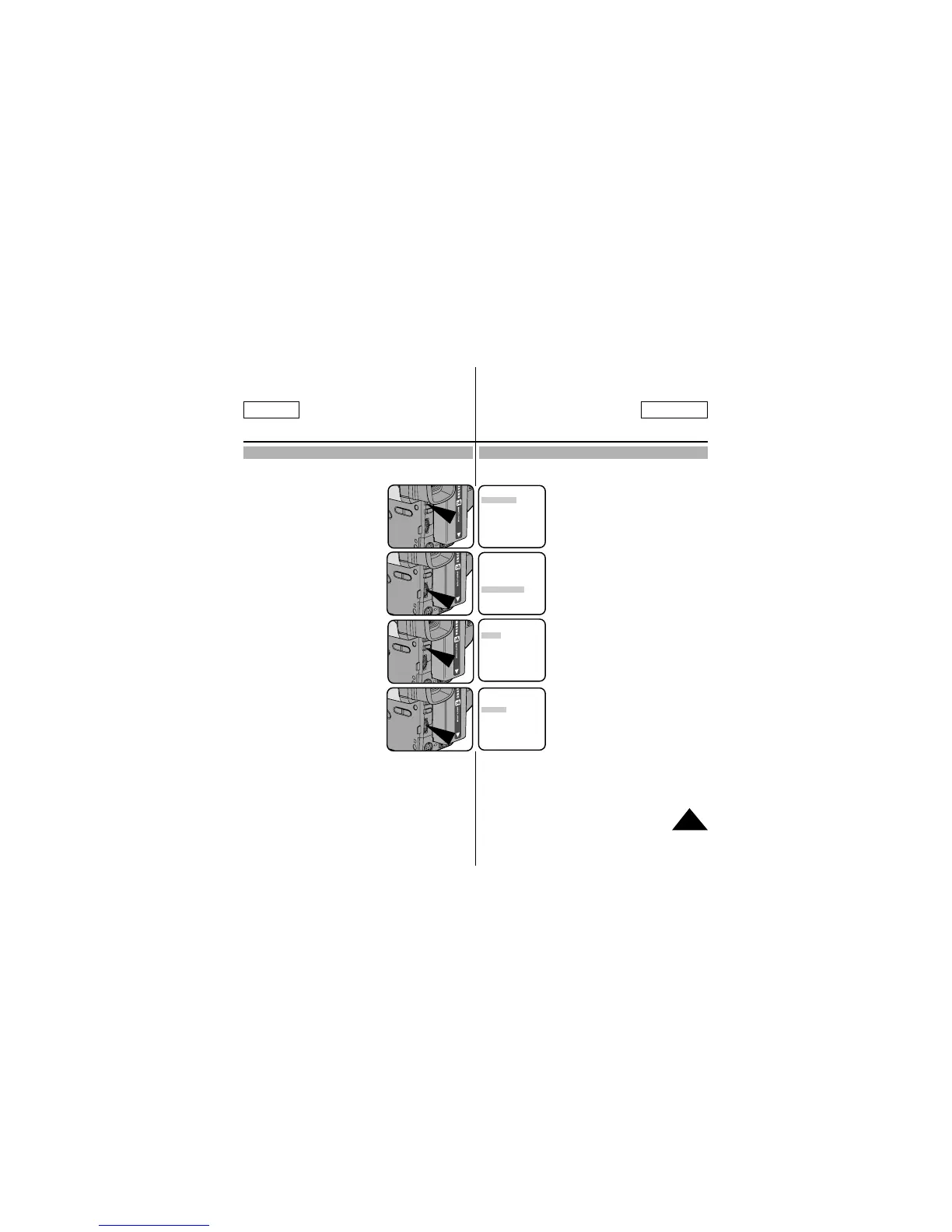
1. Set the power switch to CAMERA mode. (see page 22)
2. Press the MENU ON/OFF button.
■ The MENU list will appear.
3. Turn the UP/DOWN dial to
D/TITLE COLOR.......WHITE.
4. Press ENTER.
■ A list of available colors
will appear.
5. Turn the UP/DOWN dial to select
the appropriate color.
6. Press ENTER.
7. Press the MENU ON/OFF button to end setting.
■
The Title and Date/Time will appear in the Color you chose .
1.
Régler le bouton d'allumage sur le mode CAMERA. (voir page 22)
2. Appuyer sur le bouton MENU ON/OFF.
■ La liste du menu apparaît.
3. Tourner la molette UP/DOWN jusqu'à la
sélection de la fonction D/TITLE
COLOR.....WHITE.
4. Appuyer sur ENTER.
■ Une liste des couleurs disponibles
apparaît.
5. Tourner la molette UP/DOWN pour
sélectionner la couleur appropriée.
6. Appuyer sur ENTER.
7. Appuyer sur le bouton MENU ON/OFF pour terminer le
réglage.
■ Le titre et la date/heure apparaissent alors dans la couleur
choisie.
MENU
LCD ADJUST
DIS........................OFF
D.ZOOM................OFF
PIP........................OFF
DISPLAY ..............ON
WHITE BAL ..........AUTO
WL REMOCON ....ON
NEXT: MENU
MENU
CUSTOM SET
CLOCK SET
TITLE SET
TITLE....................OFF
D/TITLE COLOR ..WHITE
C.RESET..............0:00:00
DEMO ..................OFF
EXIT: MENU
DATE/TITLE COLOR SELECT
[WHITE]
WHITE
YELLOW
CYAN
MAGENTA
RED
GREEN
BLUE
EXIT: MENU
DATE/TITLE COLOR SELECT
[YELLOW]
WHITE
YELLOW
CYAN
MAGENTA
RED
GREEN
BLUE
EXIT: MENU



 To Next Page