FRANÇAISENGLISH
45
Advanced Recording
Perfectionnez vos enregistrements
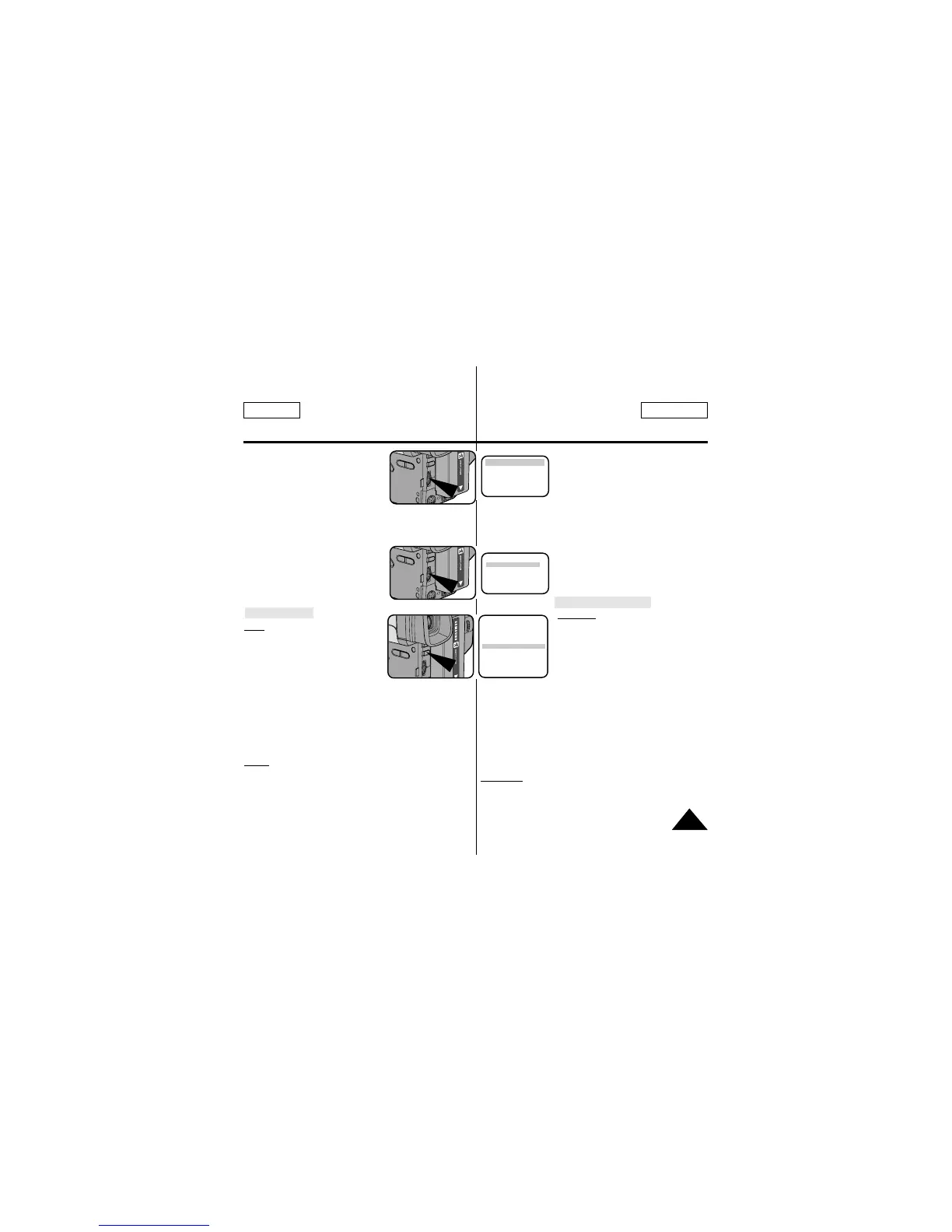
6. Turn the UP/DOWN dial to select
the appropriate language.
■ You may select languages from
ENGLISH/FRENCH/GERMAN/
ITALIAN/SPANISH/RUSSIAN.
7. Press ENTER.
■ Then, the title list in the language you chose will appear.
8. Turn UP/DOWN dial to whichever TITLE you desire.
9. Press ENTER.
■ The selected title will appear on
the screen for 2 ~ 3 seconds and
will disappear. At the same, the
camcorder will return to the menu
mode.
Recording a Title
Note: ■ Make sure that you have
selected a TITLE.
1. Set power switch to CAMERA mode.
■ Open the LCD monitor and
adjust it to see comfortably.
2. Press MENU.
3. Turn the UP/DOWN dial until TITLE...........OFF is highlighted.
4. Press ENTER to choose between OFF, AUTO-10S, and
CONTINUE.
5. Press START/STOP button to record the title with your picture.
■ If you want to change recording time, select title recording
time (OFF, AUTO-10S, CONTINUE) on MENU.
Notes: ■ The title moves horizontally from the right side to
the left side 10 seconds after you turn on the title.
■ MENU ON/OFF function will not operate in EASY or
REC mode.
6. Sélectionnez la langue à l'aide du
bouton UP/DOWN.
■ Vous pouvez choisir une langue
parmi ANGLAIS/FRANCAIS/
ALLEMAND/ITALIEN/
ESPAGNOL/RUSSE.
7. Appuyez sur ENTER.
■ La liste des titres disponibles s'affiche dans la langue
sélectionnée.
8. Sélectionnez un titre à l'aide du bouton UP/DOWN.
9. Appuyez sur ENTER.
■ Le titre sélectionné s'affiche
pendant 2 à 3 secondes.
Le caméscope retourne alors en
mode menu.
Enregistrement d'un titre
Remarque: ■ Vérifiez qu'un titre est
sélectionné.
1. Placez le commutateur principal sur la
position CAMERA.
■ Ouvrez l'écran LCD et
ajustez-le de façon à obtenir la
meilleure visualisation possible.
2. Appuyez sur MENU.
3. Sélectionnez l'option TITLE.....OFF à l'aide du bouton
UP/DOWN.
4. Press ENTER to choose between OFF, AUTO-10S, and CON-
TINUE.
5. Appuyez sur la touche START/STOP pour enregistrer le titre
avec l'image.
■ La durée d'enregistrement du titre (OFF, AUTO-10S,
CONTINUE) peut être modifiée à partir du menu.
Remarques: ■ Le titre se déplace horizontalement de la droite
vers la gauche 10 secondes après l'activation de
la fonction.
■ La fonction MENU ON/OFF n'est pas disponible
en mode EASY ou REC.
ENGLISH [HAVING FUN]
FRENCH
GERMAN
ITALIAN
SPANISH
RUSSIAN
ANNIVERSARY
CONGRATULATIONS
GRADUATION
HAPPY BIRTHDAY
HAPPY NEW YEAR
HAVING FUN
MENU
CUSTOM SET
CLOCK SET
TITLE SET
TITLE
...................
CONTINUE
D/TITLE COLOR ..WHITE
C.RESET..............0:00:00
DEMO ..................OFF
EXIT: MENU



 To Next Page