EasyManua.ls Logo

Samsung SEW-3034WN - User Manual

Samsung SEW-3034WN
16 pages
Print Icon
To Next Page IconTo Next Page
Loading...
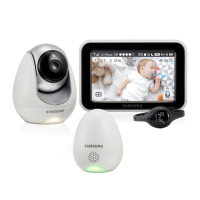
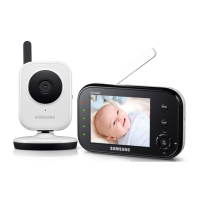
WIRELESS MONITORING SYSTEM
User Manual
SEW-3034WN , SEB-1017RW

Questions and Answers

  • W
    Walter JacksonAug 11, 2025
    How to fix no picture on Samsung SEW-3034WN?
    • A
      Ariana RobertsAug 11, 2025
      If you're not getting a picture from your Samsung Baby Monitor camera, here's what to check: 1. Ensure all connections to the camera are secure and the adapter is properly plugged in. 2. Verify that both the camera and receiver are powered ON. 3. Confirm the camera is within the receiver's range. 4. If using batteries, try replacing them. 5. Make sure the camera and monitor are correctly paired.
  • C
    codyjohnsonAug 18, 2025
    Why is the picture choppy on my Samsung Baby Monitor?
    • S
      Sandra LeonardAug 18, 2025
      If the picture on your Samsung Baby Monitor is choppy, it might be due to a lower frame rate. Here's how to improve it: 1. Try moving the camera closer to the receiver. 2. Remove any obstructions between the camera and receiver. 3. Adjust the monitor antenna to a vertical position.
  • B
    Brandon BuckleyAug 23, 2025
    What to do if the picture is dropping on Samsung Baby Monitor?
    • I
      Isabella GayAug 23, 2025
      If the picture on your Samsung Baby Monitor keeps dropping, here are a few things you can try: 1. Move the camera closer to the receiver. 2. Try repositioning both the camera and receiver to get better reception. 3. Adjust the monitor antenna to a vertical position.
  • K
    Kara WernerAug 29, 2025
    How to troubleshoot audio problems on Samsung SEW-3034WN?
    • K
      kimsextonAug 29, 2025
      If you're experiencing audio problems with your Samsung Baby Monitor, try the following: 1. Make sure the TV volume is turned up. 2. Ensure there's sound within range of the camera's microphone. 3. If you hear a loud screeching noise (feedback), move the camera and receiver farther apart.
  • J
    James RileySep 5, 2025
    Why is the picture grainy on my Samsung SEW-3034WN when using AV out?
    • D
      daniel68Sep 5, 2025
      The AV output is designed for convenience. When using a large screen TV/Monitor, the picture might appear grainy because the camera's video resolution is limited to VGA. This isn't a defect. For better performance: 1. Use the TV/Monitor's PIP (Picture in Picture) function, if available. Consult your TV/Monitor manual. 2. View the video on a smaller screen TV/Monitor.

Samsung SEW-3034WN Specifications

General IconGeneral
BrandSamsung
ModelSEW-3034WN
CategoryBaby Monitor
TypeVideo Baby Monitor
Night VisionYes
Two-Way AudioYes
Wireless ConnectivityWi-Fi
ZoomDigital Zoom
Temperature MonitoringYes
Sound ActivationYes
LullabiesYes
Pan/TiltYes
Camera Resolution720p
RangeUp to 900 feet
Battery LifeUp to 8 hours
Power SourceAC Adapter/Battery
DisplayColor LCD

Related product manuals