EasyManua.ls Logo

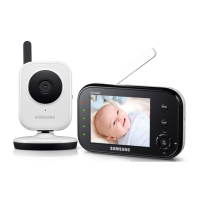
Samsung SEW-3035WN - User Manual

Samsung SEW-3035WN
19 pages
Print Icon
To Next Page IconTo Next Page
Loading...
WIRELESS MONITORING SYSTEM
User Manual
SEW-3035WN , SEB-1018RW

Questions and Answers

  • W
    Wesley RiveraAug 11, 2025
    What to do if there is no picture from the Samsung SEW-3035WN Baby Monitor camera?
    • C
      Chad CarterAug 12, 2025
      If you're not getting a picture from the camera on your Samsung Baby Monitor, here are a few things to check: * Ensure all connections to the camera are secure and the adapter is properly plugged in. * Verify that both the cameras and the receiver are turned ON. * Confirm that the camera is within the receiver's range. * If you're using a battery adapter, try replacing the batteries. * Ensure that the camera and monitor are correctly paired.
  • C
    Christine SextonAug 18, 2025
    How to fix audio problems with Samsung SEW-3035WN?
    • T
      Tiffany OrtizAug 18, 2025
      If you are experiencing audio problems with your Samsung Baby Monitor, try the following: * Make sure the TV volume is turned up. * Ensure there is sound within range of the camera's microphone. * If you hear a loud screeching noise (feedback), try moving the camera or receiver farther apart.
  • M
    Michael VelasquezAug 25, 2025
    What to do if the picture is dropping on Samsung SEW-3035WN?
    • J
      Jessica LucasAug 25, 2025
      If the picture on your Samsung Baby Monitor is dropping, consider these solutions: * Move the camera closer to the receiver. * Try repositioning the camera, the receiver, or both to improve the reception. * Adjust the monitor antenna to a vertical position.
  • S
    Stephanie KramerAug 30, 2025
    Why is the picture choppy on my Samsung SEW-3035WN Baby Monitor?
    • E
      edward64Aug 30, 2025
      A choppy picture on your Samsung Baby Monitor can occur due to a lower frame rate. To resolve this: * Try moving the camera closer to the receiver. * Remove any obstructions between the receiver and the camera. * Adjust the monitor antenna to a vertical position.
  • R
    Rodney GarciaSep 4, 2025
    How to improve grainy picture quality on Samsung SEW-3035WN Baby Monitor when using AV out?
    • P
      Pamela PittmanSep 4, 2025
      The AV output is intended for convenience only. For optimal performance on a large screen TV/Monitor, use the TV/Monitor's PIP (Picture in Picture) function. Check your TV/Monitor's manual to see if this feature is available. Alternatively, view the video on a smaller screen TV/Monitor.

Samsung SEW-3035WN Specifications

General IconGeneral
BrandSamsung
ModelSEW-3035WN
CategoryBaby Monitor
WirelessYes
Two-Way Audio CommunicationYes
Night VisionYes
Display Size3.5 inches
Temperature SensorYes
Sound Level IndicatorYes
Range900 feet
Power SourceAC Adapter, Battery

Related product manuals