EasyManua.ls Logo

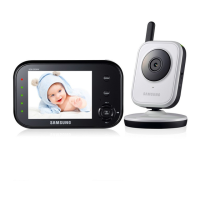
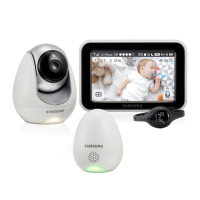
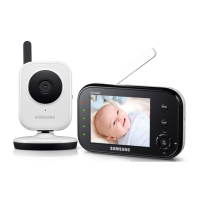
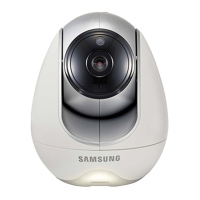
Samsung SEW-3043W - User Manual

Samsung SEW-3043W
20 pages
Print Icon
To Next Page IconTo Next Page
Loading...
SEW-3043W
BrightVIEW
User Manual
English

Questions and Answers

  • J
    Joanna HolmesAug 2, 2025
    How to fix a Samsung SEW-3043W Baby Monitor with no picture?
    • J
      jenniferbookerAug 2, 2025
      If you're not getting a picture from your Samsung Baby Monitor's camera, here are a few things to check: 1. Ensure all connections to the camera are secure and the adapter is properly plugged in. 2. Confirm that both the camera and the monitor are powered ON. 3. Verify that the camera is within the monitor's range. 4. Ensure the camera and monitor are correctly paired. 5. Try adjusting the monitor's antenna to a vertical position.
  • B
    brandiblackAug 10, 2025
    Why is there no sound on my Samsung Baby Monitor?
    • K
      kristinshahAug 10, 2025
      If you're not getting any sound from your Samsung Baby Monitor, even with both units on, consider the following: 1. Check that the power adapter is properly connected to the camera. 2. Ensure the monitor's battery is charged using the included adapter, as a dead battery could be the issue. 3. Verify that the monitor is within range of the camera. Check if the Range LED is continuously lit, which indicates it might be out of range.
  • X
    xholmesAug 16, 2025
    What to do if my Samsung SEW-3043W picture is choppy?
    • A
      Ashley RogersAug 16, 2025
      If the picture on your Samsung Baby Monitor is choppy, here's what you can do: 1. Try moving the camera closer to the monitor to improve the signal. 2. Remove any obstructions that might be interfering with the signal between the monitor and the camera. 3. Adjust the monitor antenna to a vertical position for better reception.
  • V
    Virginia HerringAug 25, 2025
    Why does my Samsung SEW-3043W have a high-pitched noise?
    • D
      ddixonAug 25, 2025
      The high-pitched noise or feedback you're hearing from your Samsung Baby Monitor is normal when the monitor and camera are too close together. To resolve this, simply move the monitor and camera further apart.

Summary

Important Safety Instructions

Service Instructions and Warranty Terms

Getting Started

Powering the Monitor

Instructions for charging and powering on the monitor.

Operating the System

Step-by-step guide for basic operation and initial pairing.

System Features Overview

Voice Activated (VOX) and Sound Level

Details VOX mode, sound detection settings, and sound level indicators.

Menu Operation

System Settings and Operations

Wireless Monitor Back Controls

Wireless Camera Controls

Installation Guide

Installing the Wireless Monitor

Steps for placing and setting up the wireless monitor.

Installing the Wireless Camera

Steps for mounting and positioning the wireless camera.

Troubleshooting Common Issues

No Camera Picture

Solutions for when the camera fails to display a picture.

Choppy Video Feed

Tips to resolve choppy video feed issues.

Audio Problems

Troubleshooting steps for audio issues and feedback.

Samsung SEW-3043W Specifications

General IconGeneral
Camera Resolution720p
Night VisionYes
Two-Way TalkYes
Temperature SensorYes
Range900 feet
TypeDigital
WirelessYes
Number of Channels4
Number of Cameras Supported4
Sound ActivationYes
LullabiesYes
Vibration AlertYes
Battery LifeUp to 12 hours
ZoomDigital zoom
Power SourceRechargeable battery

Related product manuals