Getting started
19
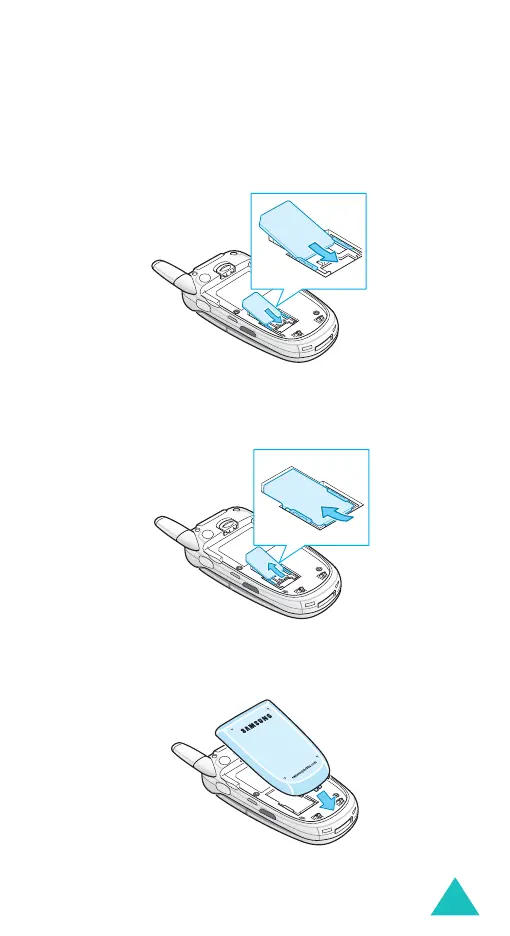
3. Slide the SIM card into the SIM card socket, as
shown, so that the card locks into position.
Make sure the metal contacts of the card face
into the phone.
Note
: When you need to remove the SIM card,
slide it upwards, as shown, and take it out
of the socket.
4. Replace the battery so that the tabs on the end
align with the slots at the bottom of the phone.



 To Next Page