Entering text
50
Using Alphabet mode
Use the
1
to
0
keys to enter your text.
1. Press the keys labelled with the letter you want:
- Once for the first letter
- Twice for the second letter
- And so on
2. Select the other letters in the same way.
Note
: The cursor moves to the right when you press a
different key. When entering the same letter
twice or a different letter on the same key, just
wait for a few seconds for the cursor to move to
the right automatically, and then select the
next letter.
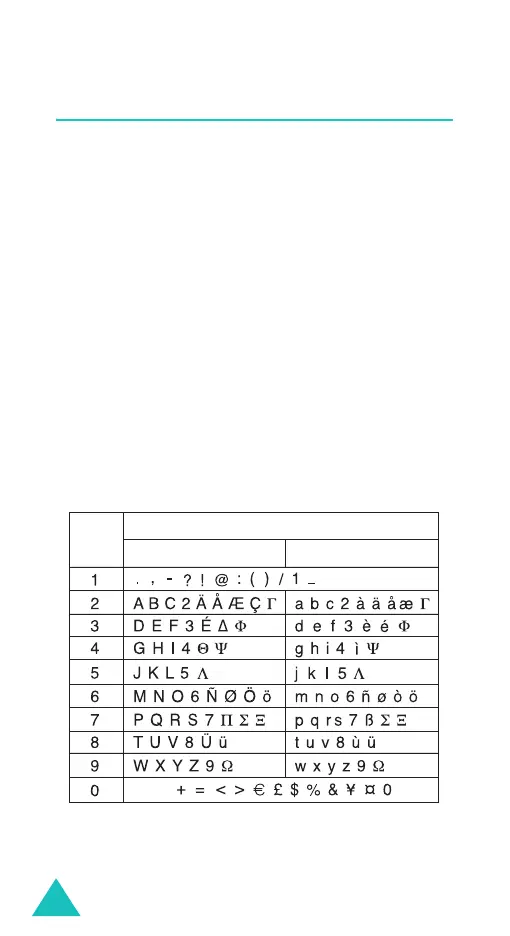
Refer to the table below for further details about
available characters:
Note
: The characters available in Alphabet mode may
be different, depending on your country.
Space
Characters in the order displayed
Key
pper
ase
Lower Case



 To Next Page