14
· English
Registration 14
Web browser requirements 14
Starting SmartCam 14
Live Video 19
Monitoring options 20
Setup 21
Basic Info 21
Network 23
Time 25
Alarm & Notification 26
Alarm Schedule 28
SD card 29
Event Alarm 30
Playback 30
Information 31
My Account 31
Support 32
03
MONITORING
Once you register the product with the site, you can monitor the camera video on
the PC or laptop computer.
Web browser requirements
Windows Mac
Windows XP, 7 supported
- Internet Explorer
8 or higher
(The 64-bit is not supported.)
- Firefox
- Chrome
Mac OSX 10.7 Lion or higher is
supported
- Safari
- Firefox
- Chrome
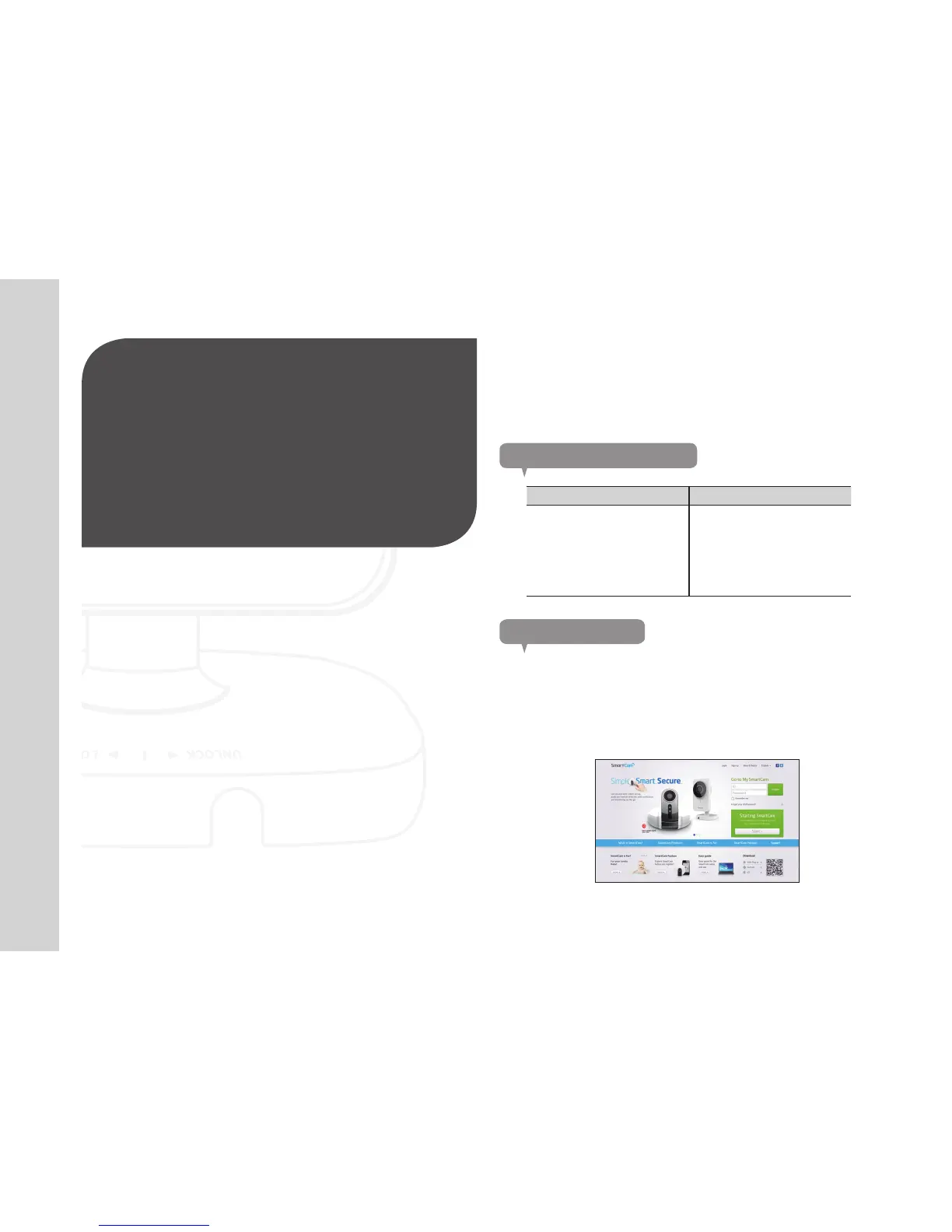
Starting SmartCam
1. From your PC, launch your web browser.
2. Go to http://www.samsungsmartcam.com.
3. Select preferred language.
4. Click <Sign up> or <Starting SmartCam>.
Registration


 To Next Page