9
02
Installation & Network Connection
Wall Mounting Using Double-sided adhesive tape
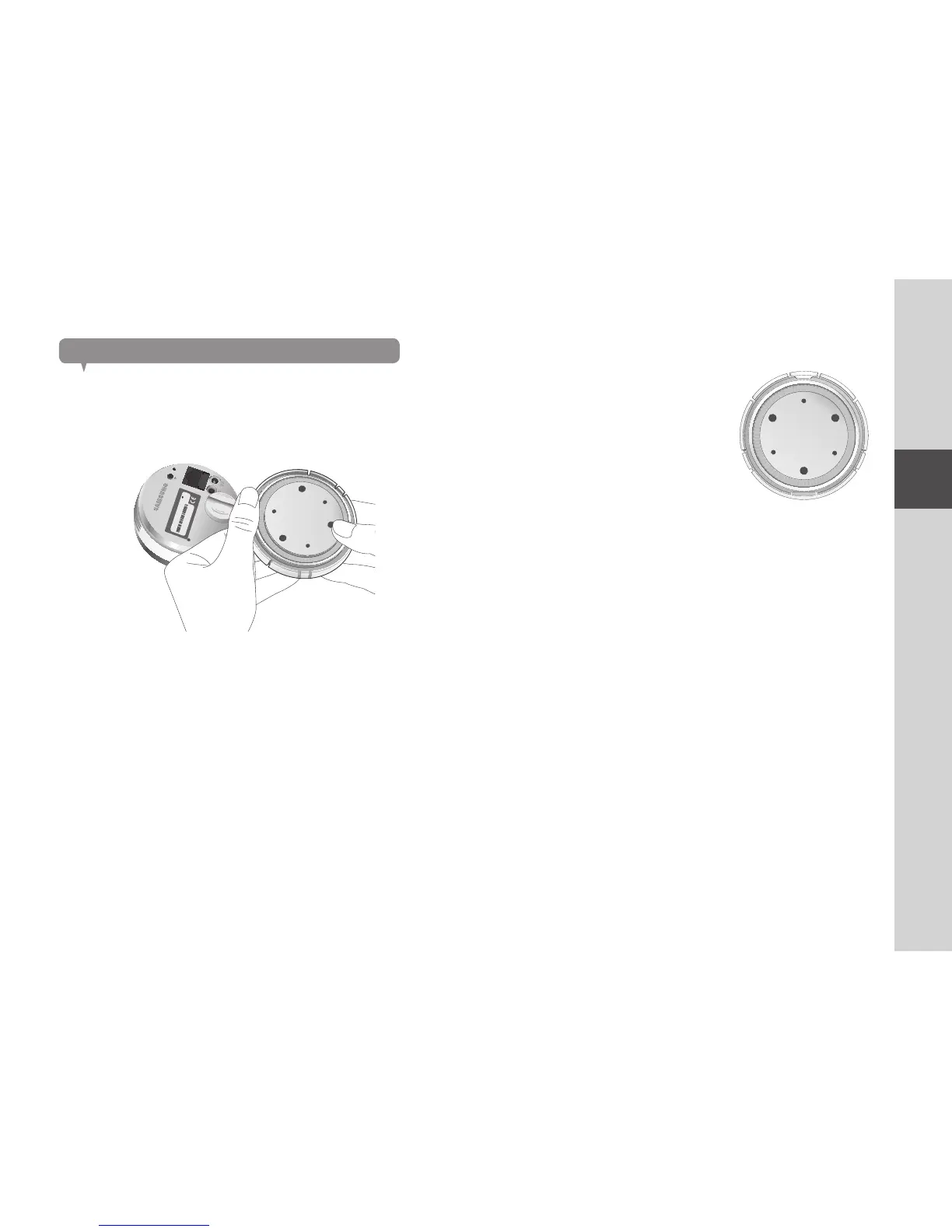
Separating the wall-mount bracket
1. While pulling the button in the back of the bracket, press the bottom of the
opposite side of the button to remove the bracket wall.
Assembling
1. Take out the wall fixing tape.
2. Remove the rectangular protective film from
the adhesive tape and attach it to the
bottom of the wall-mount bracket.
3. Hold the handle for the wall fixing tape, remove the release paper to attach
the tape.
n
` The tape will lose adhesiveness if used once, do not re-use.
` Before attaching tape, clean dust / water / oil off the wall-mount bracket’s adhesive
spot for better result.
RESET
NETWORK
SAMSUNG SMART CAM
SAMSUNG TECHWIN CO., LTD. MADE BY SAMSUNG IN CHINA
MODEL : SNH-P6410BN
M/C : SNH-P6410BN/EX
DC 5.0V 2.2A
Aug 2013 S/N : XXXXXXXXXXXXXXX
MAC ADDRESS : XX-XX-XX-XX-XX-XX



 To Next Page