23
03
Monitoring
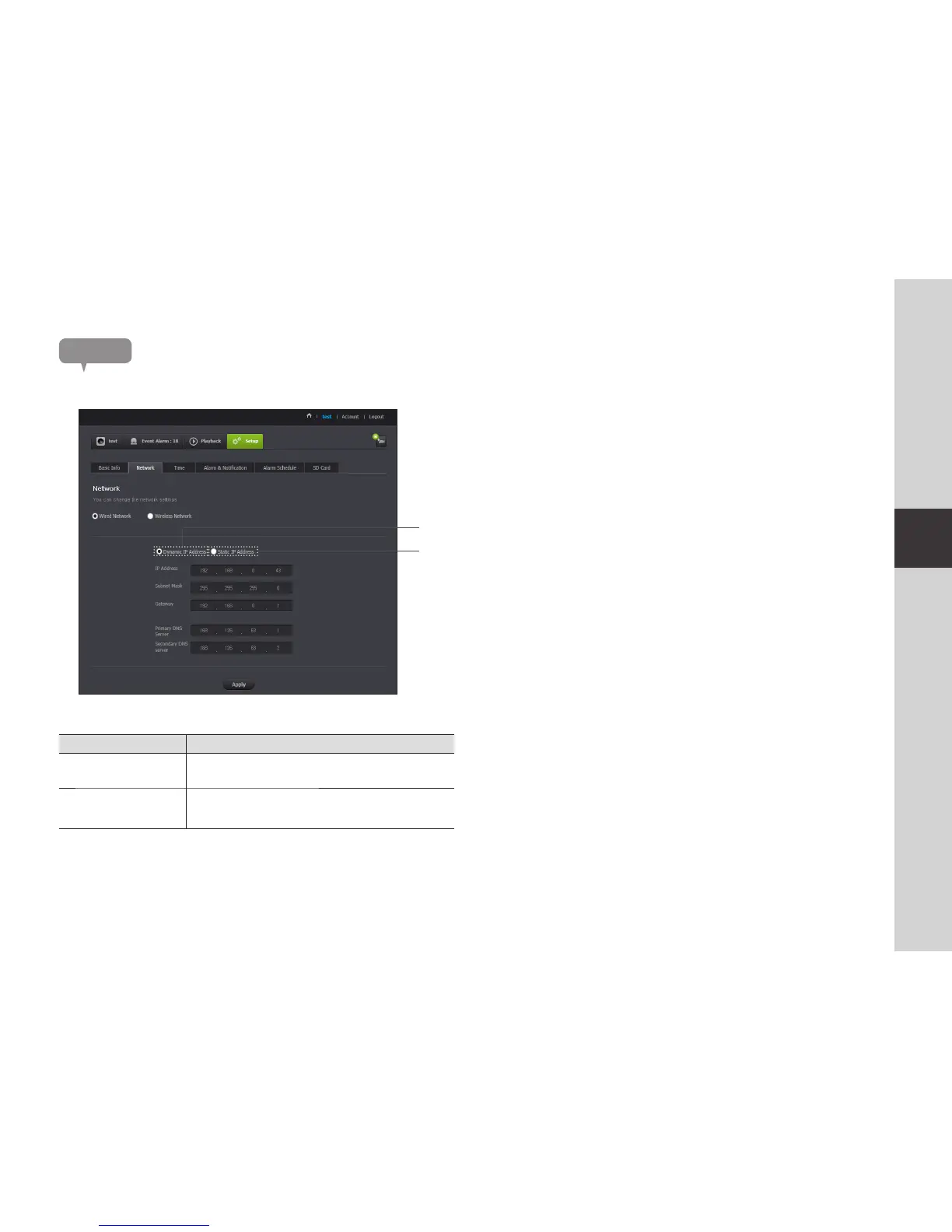
Network
Item Description
Dynamic IP Address
If you select <Dynamic IP Address>, the IP address will be obtained
automatically.
b
Static IP Address
You must manually provide the information of: IP address, subnet
mask, gateway, DNS server address.
n
` If any of the manual settings is wrong, the network settings will not be applied.
` If you have both cable and wireless network connections simultaneously, the cable
network connection is prioritized.
` If you switch from the current wireless connection to the cable connection, the network
will switch to cable connection accordingly.
` For more information about the router or the wireless connection, refer to the
documentation of the router or contact the router manufacturer.
<Wired Network>
b



 To Next Page