25
03
Monitoring
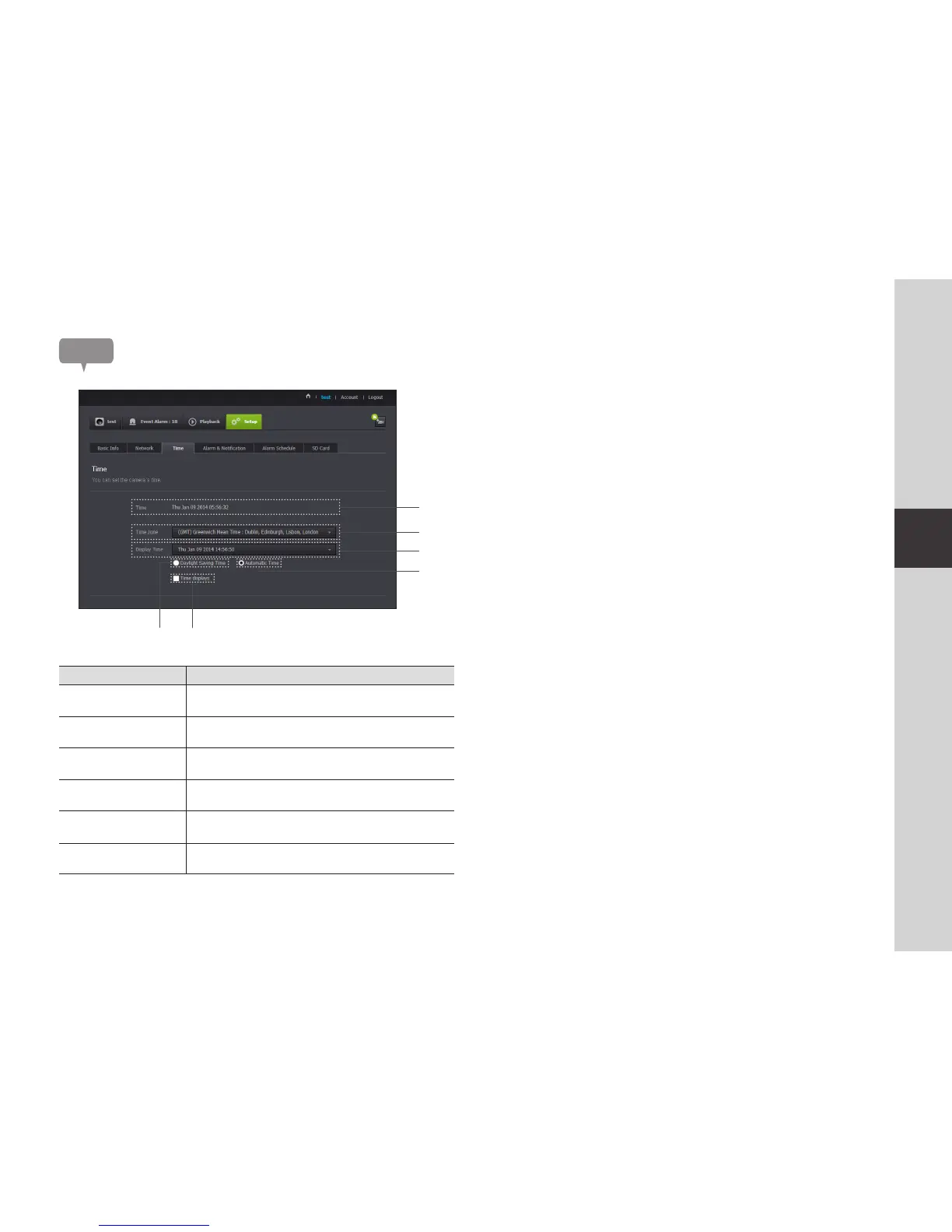
Time
Item Description
Time Confirm the camera's time.
b
Time Zone Select your region.
c
Display Time Select the time format displayed in time setting.
Automatic Time It sets camera's time automatically.
Daylight Saving Time
Check this option if you live in a country or region where DST(Daylight
Saving Time) is applied.
Time to show Live screen displays the time.
n
` The time will synchronize with the NTP(Network Time Protocol) server automatically.
` For this, Internet connection is required.
` You need to set the timezone correctly to obtain the exact time setting.
` The time displayed without Internet connection may not be accurate.
c
b


 To Next Page