26
· English
<Picasa> Notification
Automatically uploads a image to your private Picasa account.
1. Select the Google.
2. Enter your Gmail address and password.
3. Click <Save>.
4. Check <Use> of Picasa.
n
`
If your Google email ID and password are saved, check the use of Picasa only.
` Refer to the policy of Picasa for the maximum number of uploaded images.
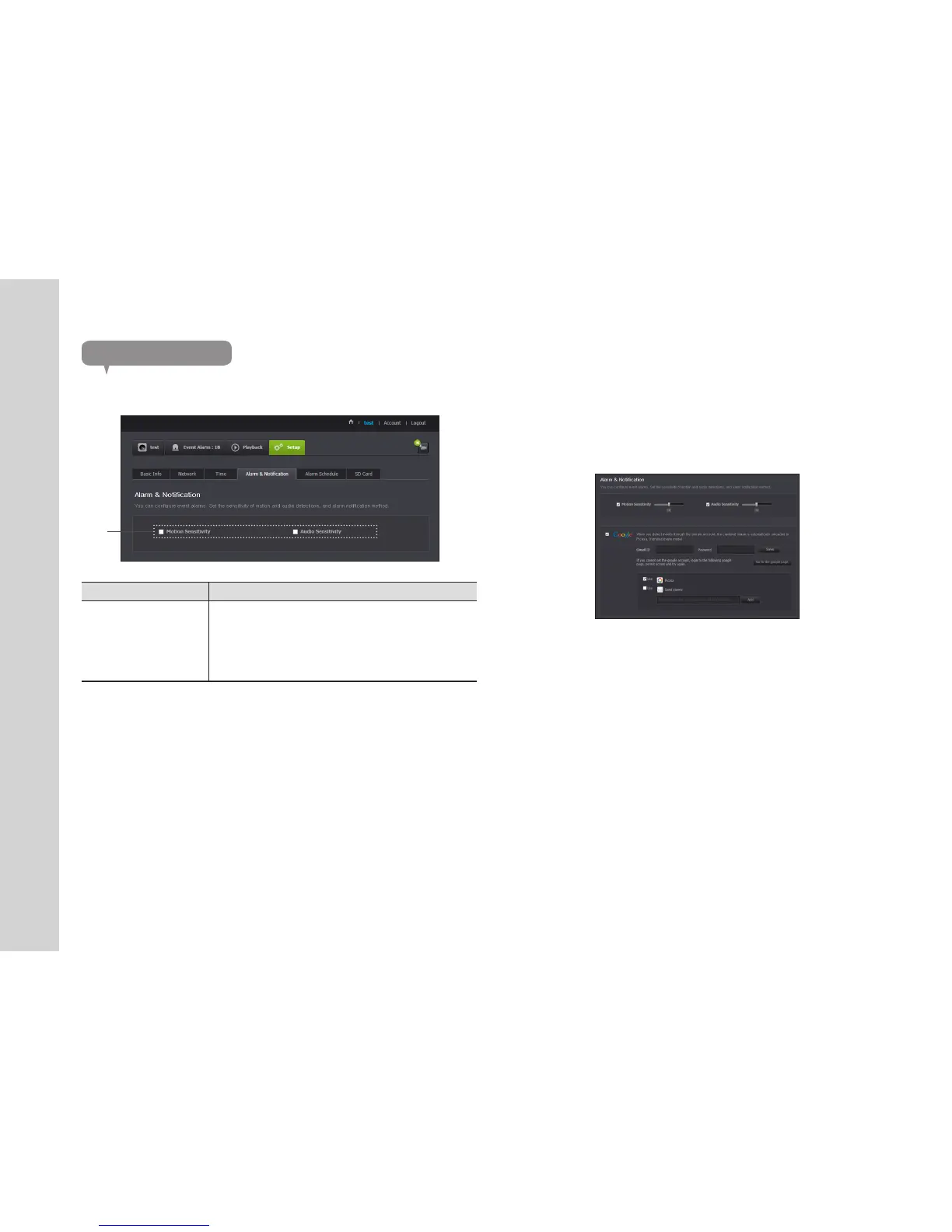
Alarm & Notification
Camera has ability to send event notifications when motion or audio is detected.
Item Description
Alarm notification
You can set motion or audio alerts. Sensitivity level can also be set.
The higher the sensitivity, the more accurate motion and audio events
can be detected.
` When an event occurs, if you want to send alerts to Picasa/Gmail,
first log into your google account.
n
` In the following case, it may fail to derive the proper results for basic events and
motion detection.
- The object color or brightness is similar to the background.
-
Multiple movements continue occurring at random due to a scene change or other reasons.
- A fixed object continues moving in the same position.
- An object hides other objects behind.
- Two or more objects overlap or one object divides in multiple portions.
- A moving object comes close to the camera.



 To Next Page