18
· English
9.
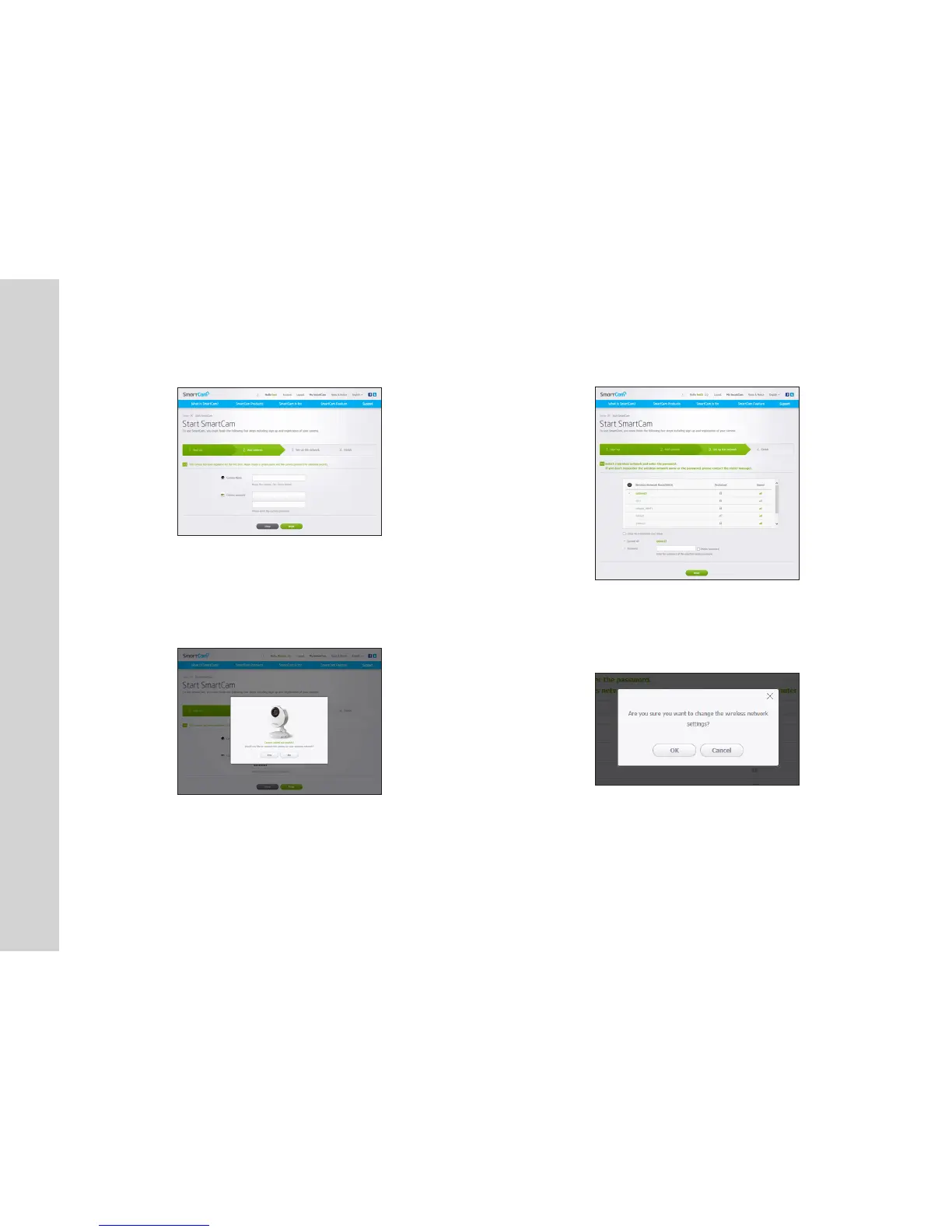
Create <Camera Name> and <Camera password>.
10. Click <Next>.
n
` The camera password is used to block the unauthorized access to your camera.
` Create camera password using alphanumeric characters between 1 to 8 without any
space.
11. After adding the camera, click <Yes> in the wireless network setup pop-up
window.
12. Select your Wireless Network from the list.
13. Enter the password of your Wireless Network and click <Next>.
n
` If your Wireless Network is hidden, select <Other Wi-Fi Networks (not listed)>.
` Select <Display password> to display the password.
14. Click <OK>.



 To Next Page