EasyManua.ls Logo

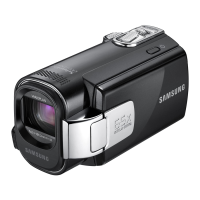
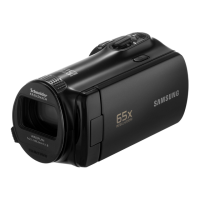
Samsung SMX-F40BN - User Manual

Samsung SMX-F40BN
131 pages
Print Icon
To Next Page IconTo Next Page
Loading...
www.samsung.com/register
SMX-F40BN/SMX-F40SN/SMX-F40RN/SMX-F40LN
SMX-F43BN/SMX-F43SN/SMX-F43RN/SMX-F43LN
SMX-F44BN/SMX-F44SN/SMX-F44RN/SMX-F44LN
SMX-F400BN/SMX-F400SN/SMX-F400RN/SMX-F400LN
User Manual
Memory Camcorder

Table of Contents

Other manuals for Samsung SMX-F40BN

Questions and Answers

  • D
    dicksonmeganAug 14, 2025
    What to do if my Samsung SMX-F40BN Camcorder says 'Card Full'?
    • R
      rodgersmichaelAug 14, 2025
      If your Samsung Camcorder displays 'Card Full', you should delete unnecessary files from the memory card. Alternatively, use the built-in memory (SMX-F43/F44 models only), back up files to your PC or another storage media before deleting them, or switch to another memory card with sufficient free space.
  • J
    Jenna GlassAug 17, 2025
    How to fix low battery on Samsung SMX-F40BN?
    • M
      Mrs. Kristen Doyle DDSAug 17, 2025
      If your Samsung Camcorder displays 'Low Battery', either switch to a fully charged battery or use the AC power adapter. You may also need to charge the battery pack.
  • J
    Jill WoodsAug 21, 2025
    What to do if my Samsung Camcorder says 'Insert Card'?
    • C
      Christine NguyenAug 21, 2025
      If your Samsung Camcorder shows 'Insert Card', you need to insert a memory card into the device.
  • R
    ryan94Aug 25, 2025
    What to do if my Samsung SMX-F40BN shows 'Card Error'?
    • M
      Matthew ShermanAug 25, 2025
      If your Samsung Camcorder displays 'Card Error', try formatting the memory card or replacing it with a new one.
  • D
    Dr. Julie WalterAug 28, 2025
    What to do if Samsung Camcorder says 'Memory Full'?
    • A
      Anthony CervantesAug 28, 2025
      If your Samsung Camcorder displays 'Memory Full' (SMX-F43/ F44 models only), you should delete unnecessary files from the built-in memory or use a memory card. Back up files to your PC or another storage media before deleting them.
  • Q
    qleeAug 31, 2025
    Why does my Samsung Camcorder say 'Low speed card. Please record a lower resolution'?
    • K
      kylekingAug 31, 2025
      If your Samsung Camcorder displays 'Low speed card. Please record a lower resolution', record video at a lower resolution. Alternatively, change the memory card to a faster one.
  • D
    dennisfullerSep 3, 2025
    What does 'Not Supported Card' mean on my Samsung Camcorder?
    • A
      Amy FitzgeraldSep 3, 2025
      If your Samsung Camcorder shows 'Not Supported Card', change to a memory card that is recommended for use with the camcorder.
  • X
    xsantosSep 6, 2025
    How to unlock the card on Samsung SMX-F40BN?
    • M
      Michelle MurphySep 7, 2025
      If your Samsung Camcorder displays 'Card Locked', release the write protection tab on the memory card.
  • R
    Rebecca PerrySep 10, 2025
    Why does my Samsung SMX-F40BN Camcorder say 'Check authenticity of the battery'?
    • A
      Alex ClarkSep 12, 2025
      To ensure optimal performance and prevent issues with your Samsung Camcorder, verify the battery's authenticity and replace it with a new, genuine Samsung battery if needed. Use only genuine Samsung batteries with this camcorder.

Samsung SMX-F40BN Specifications

General IconGeneral
Digital Zoom2000x
Sensor TypeCCD
Effective Pixels0.68 MP
Recording MediaSD/SDHC
Video Resolution720 x 480
Optical Sensor Size1/6 inch
Display Size2.7 inch
LCD Screen Size2.7 inch
Image StabilizationElectronic Image Stabilization (EIS)
Focus SystemAuto Focus
Battery TypeLithium-ion
Image StabilizerElectronic Image Stabilization (EIS)
Display Resolution (pixels)230, 000 pixels

Related product manuals