Camera Setting
①Focus & Zoom
White Balance ATW
③Exposure
④Back Light USER
AGC Medium
SSNR Medium
⑦Day & Night
⑧Others
Main Menu
①Camera Setting
②Sequence Setting
③P/T Setting
④OSD Setting
⑤Alarm Setting
⑥Initialize
Status
➡
➡
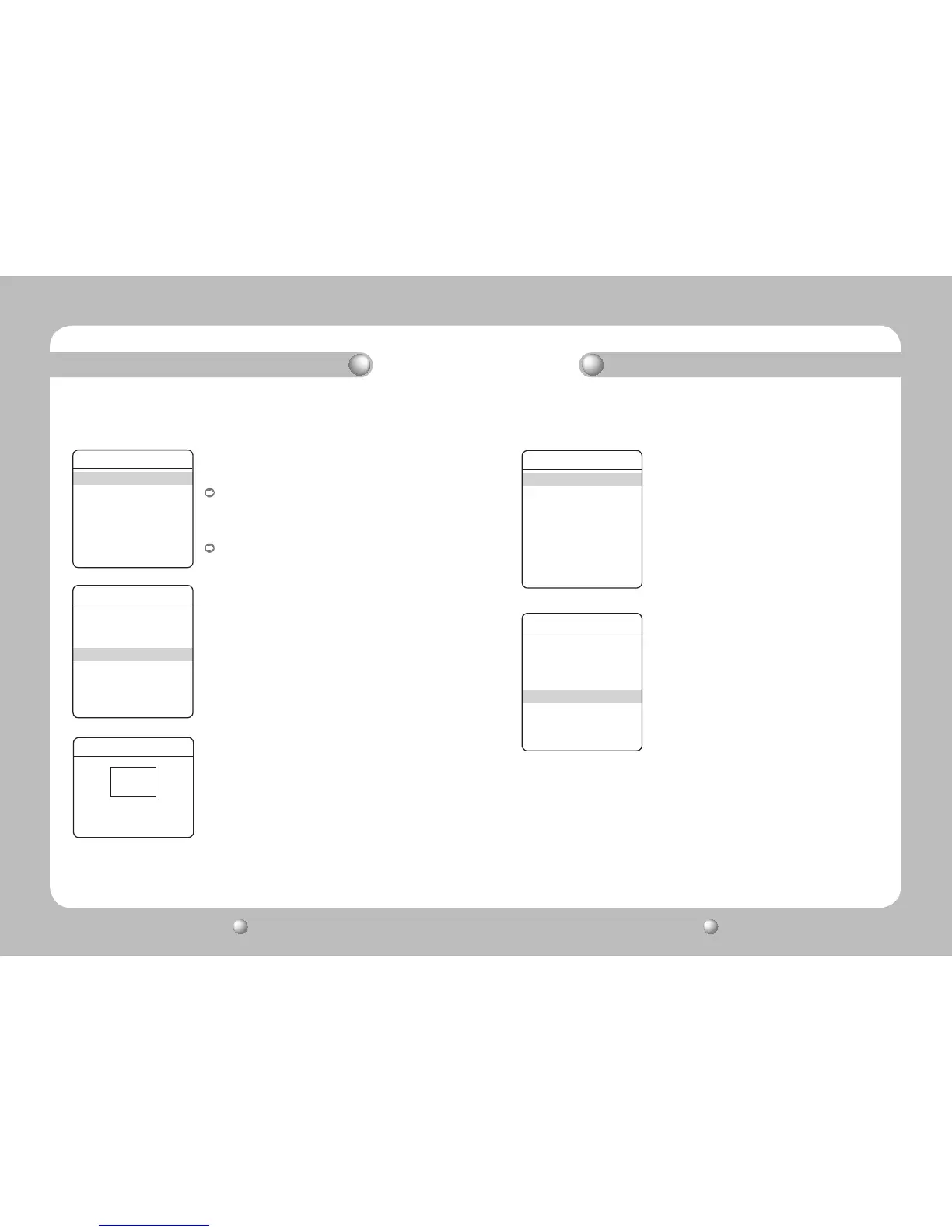
4.4 User Area Setting
▶
Main Menu/Camera Setting/Back Light/User
You can selectively choose a screen area to see objects within
the area more clearly than others.
Four-direction Joystick Controls :
- Moving the joystick in all four directions—upward,
downward, left, and right—adjusts the location and size
of a selected area.
Zoom Control :
- Zoom Tele : Enlarges the size of a selected area.
- Zoom Wide : Reduces the size of a selected area.
↑:Up↓:Down ←:Left →:Right
W:Decrease T:Increase
Camera Setting
①Focus & Zoom
White Balance ATW
③Exposure
④Back Light OFF
AGC Medium
SSNR Medium
⑦Day & Night
⑧Others
Main Menu
①Camera Setting
②Sequence Setting
③P/T Setting
④OSD Setting
⑤Alarm Setting
⑥Initialize
Status
➡
AGC (Automatic Gain Control) adjusts the camera’s gain
control and the screen brightness if the camera has captured
an object under low-light conditions.
The Off, Low, Medium, High, and Manual modes are available.
5. AGC
▶
Main Menu/Camera Setting/AGC
Functional Description Functional Description


 To Next Page
 Loading...