P/T Setting
①Pan/Tilt Limit
②Area Setting
③Area Masking
Prop. P/T ON
Digital Flip ON
Image Hold OFF
⑦Auto Track1
⑧Auto Track2
Main Menu
①Camera Setting
②Sequence Setting
③P/T Setting
④OSD Setting
⑤Alarm Setting
⑥Initialize
Status
➡
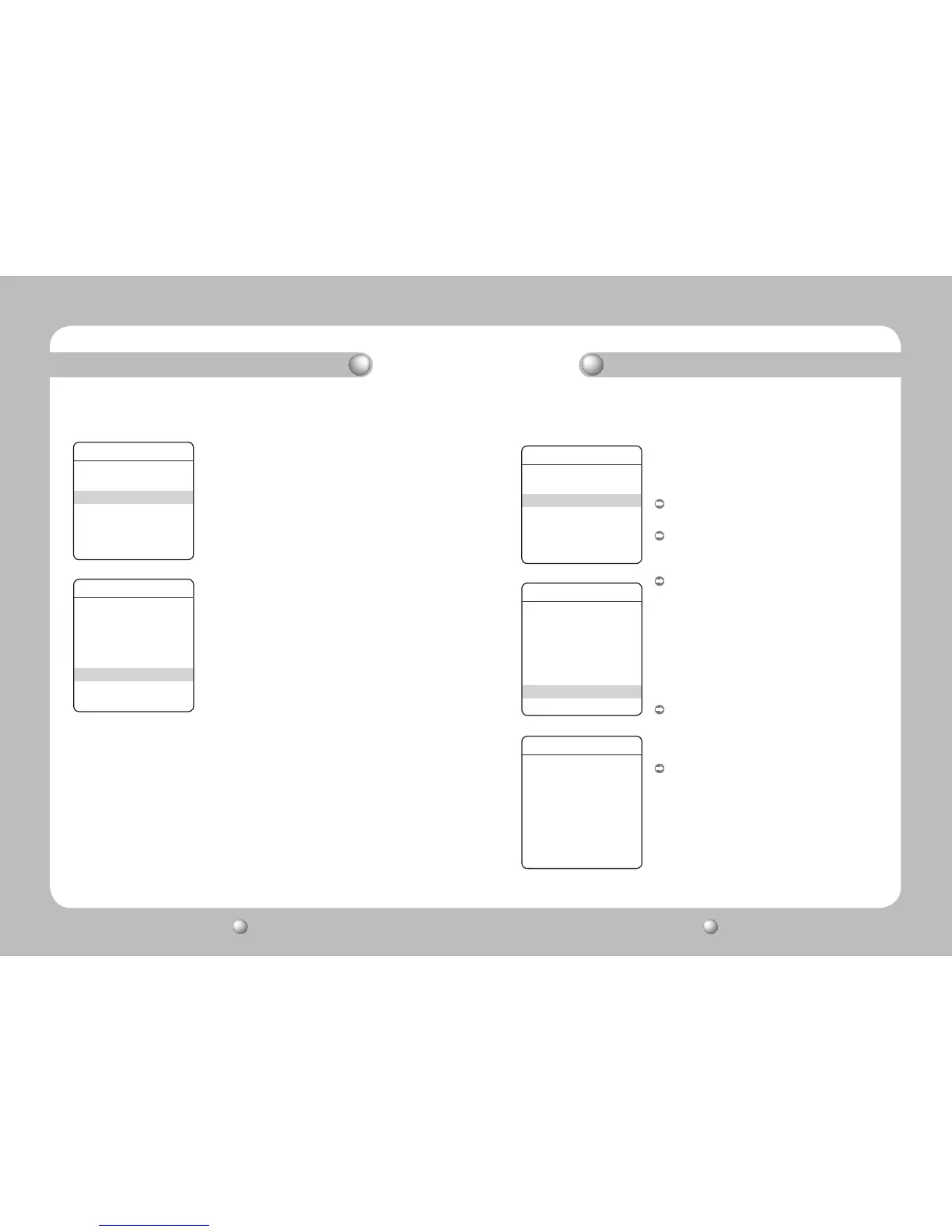
21. Image Holding
▶
Main Menu/P/T Setting/Image Hold
When the camera is moving between preset locations, this
function stops a previous camera feed until the camera
reaches the next location. This is useful to help the screen
observer keep sharp eyes and to monitor multiple locations
within a network.
P/T Setting
①Pan/Tilt Limit
②Area Setting
③Area Masking
Prop. P/T ON
Digital Flip ON
Image Hold OFF
⑦Auto Track1
⑧Auto Track2
Auto Track 1
Auto Track OFF
Camera Height 02.5M
Object Size SMALL
Sensitivity HIGH
Zoom Control OFF
Auto Release OFF
Auto Return OFF
Lost Mode STOP
Main Menu
①Camera Setting
②Sequence Setting
③P/T Setting
④OSD Setting
⑤Alarm Setting
⑥Initialize
Status
➡
➡
22. Auto Track 1 (SPD-3750T Only)
▶
Main Menu/P/T Setting/Auto Track1
This function is available only with the SPD-3750T.
This commands the camera to automatically follow a moving
object or a person on the screen.
Auto Track
:
On/Off: Turns Auto Track on or off.
Camera Height
:
Adjusts the height of the camera. Tracking performance
may decrease if the camera height is not adjusted properly.
Object Size
:
Sets a maximum zoom power to zoom in on an object if
the Zoom function is used for the tracking operation.
- Small : Zooms in on a tracking object up to 1/4 of the
screen height.
- Medium : Zooms in on a tracking object up to 2/4 of the
screen height.
- Large : Zooms in on a tracking object up to 3/4 of the
screen height.
Sensitivity
:
The object detection sensitivity is adjustable. Lower the
sensitivity if the camera catches a swaying tree branch,
raindrops, or snowflakes during the Auto Track operation.
Zoom Control
:
The function’s zoom control settings are as follows.
- Off : Disables the Zoom control.
- One Shot : Performs the Zoom control once during the
Motion Detection and Auto Track operations.
Depending on the movement detection, the
camera performs the Zoom control multiple
times.
- Continuous : Performs the Zoom control continuously.
Functional Description Functional Description


 To Next Page
 Loading...