English - 36
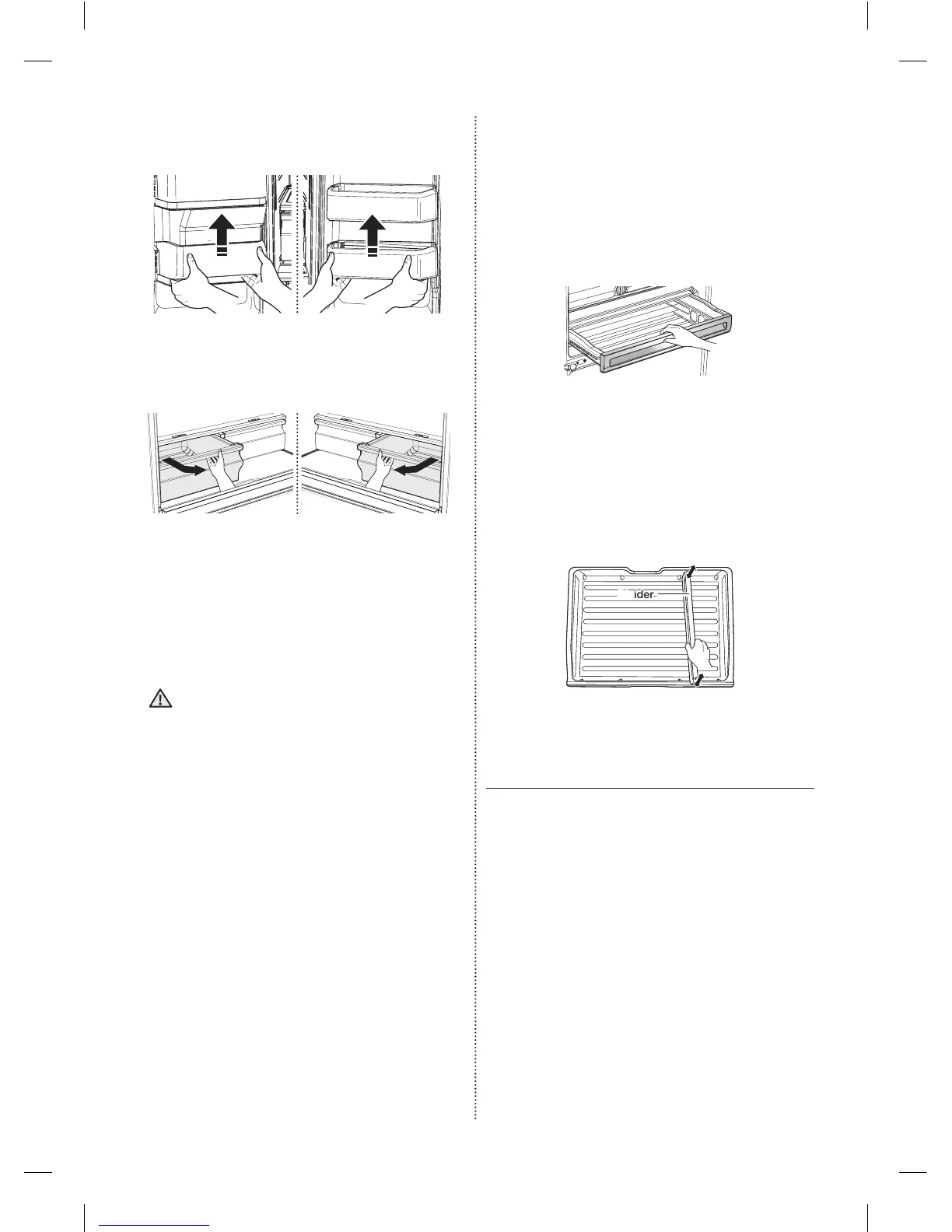
To remove
• Simplyliftthebinupandpullstraightout.
• Tiltupthefrontofthedrawerandpullstraight
out,andpulloutthedraweraftermoving
slightlyinthedirectionofthearrow.
To re-install
• Insertthedrawerintotheframerailsandpush
backintoplace.
• Slidebininabovethedesiredlocationand
pushdownuntilitstops.
Thedrawersneedtoberemovedbefore
theglassshelfabovethemcanbelifted
out.
CAUTION
4. CoolSelectPantry
PLUS
- To remove the pantry:Pullthepantryoutto
fullextension.Tiltupthefrontsideofthepantry
andpullstraightout.
- To relocate the pantry:Pushtherailstothe
backoftherefrigerator.Placethedraweronto
therailsandslidethepantrybackuntilitisin
place.
- To remove the divider:Pullthepantry
completelyouttofullextensionandraisethe
frontsideofthedividertounhookitfromthe
rearwallofthepantry,thenliftthedividerout.
- To relocate the divider:Hookthebackofthe
dividerovertherearwallofthepantryandpush
thedividerdown.
Divider
Using the doors
Ensurethatthedoorscloseallthewayandare
securelysealed.
Whentherefrigeratordoorisonlypartiallyopen,it
willautomaticallyclose.
But,thedoorwillstayopenwhenopenedmore
thantheautocloserangeandyoumustcloseit
manually.
DA68-02954H (EN)-00-���.indd 36 2016. 3. 14. �� 10:44













 To Next Page