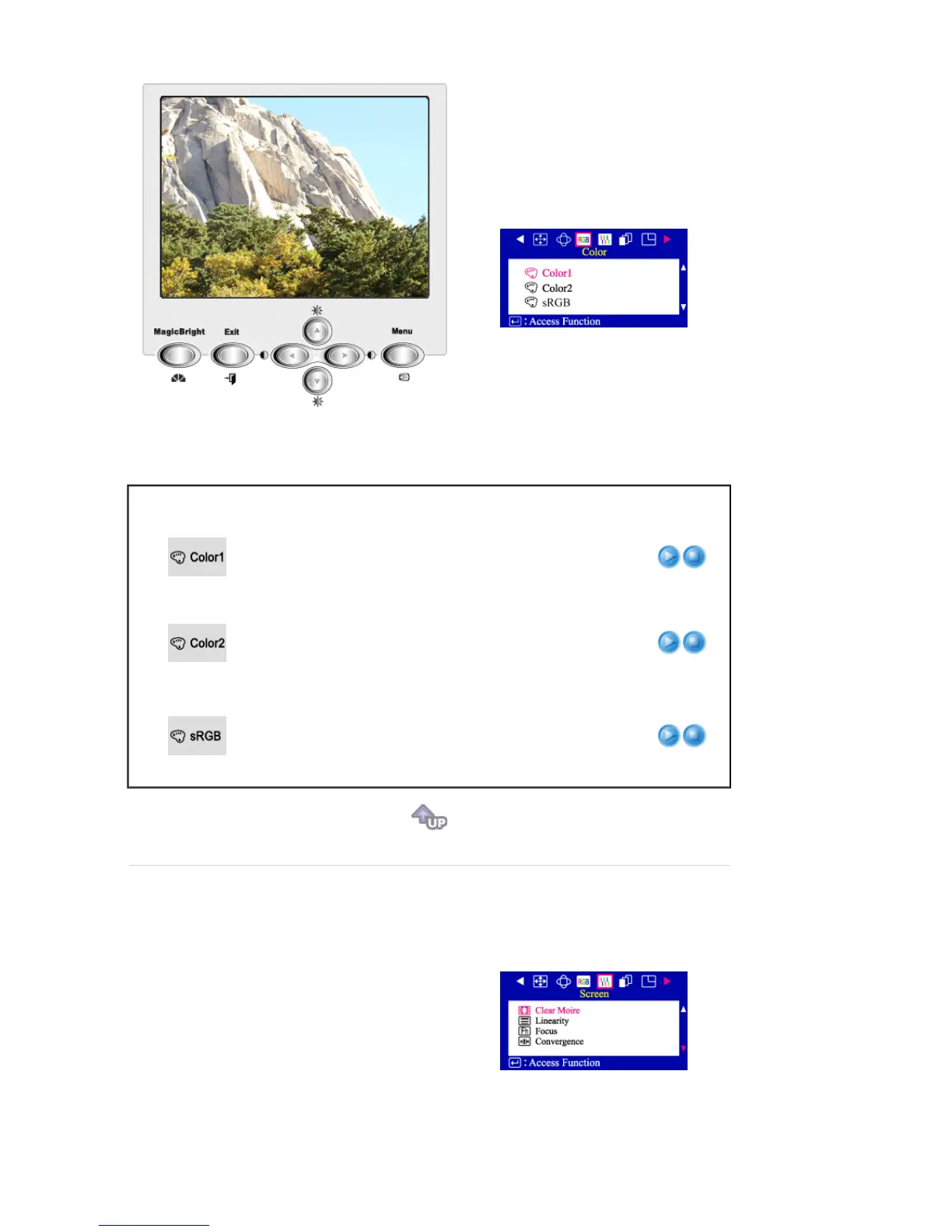
Menu Description Play/Stop
Select this mode when you want to adjust the image
according to your preferences.
The original setting for the color temperature is 9300K.
Follow these steps to change the color temperature and
adjust individual R,G,B color balance.
Select this mode when you want to adjust the image
according to your preferences.
The original setting for the color temperature is 5000K.
Follow these steps to change the color temperature and
adjust individual R,G,B color balance.
Standard Red Green Blue (sRGB) is a defined default color
space. If a monitor, printer and scanner are all calibrated to
the sRGB color characteristics, then you can find color
matching from each peripheral. When the monitor is in the
sRGB mode, Brightness / Contrast / MagicBright2™
adjustment is not available.








 To Next Page