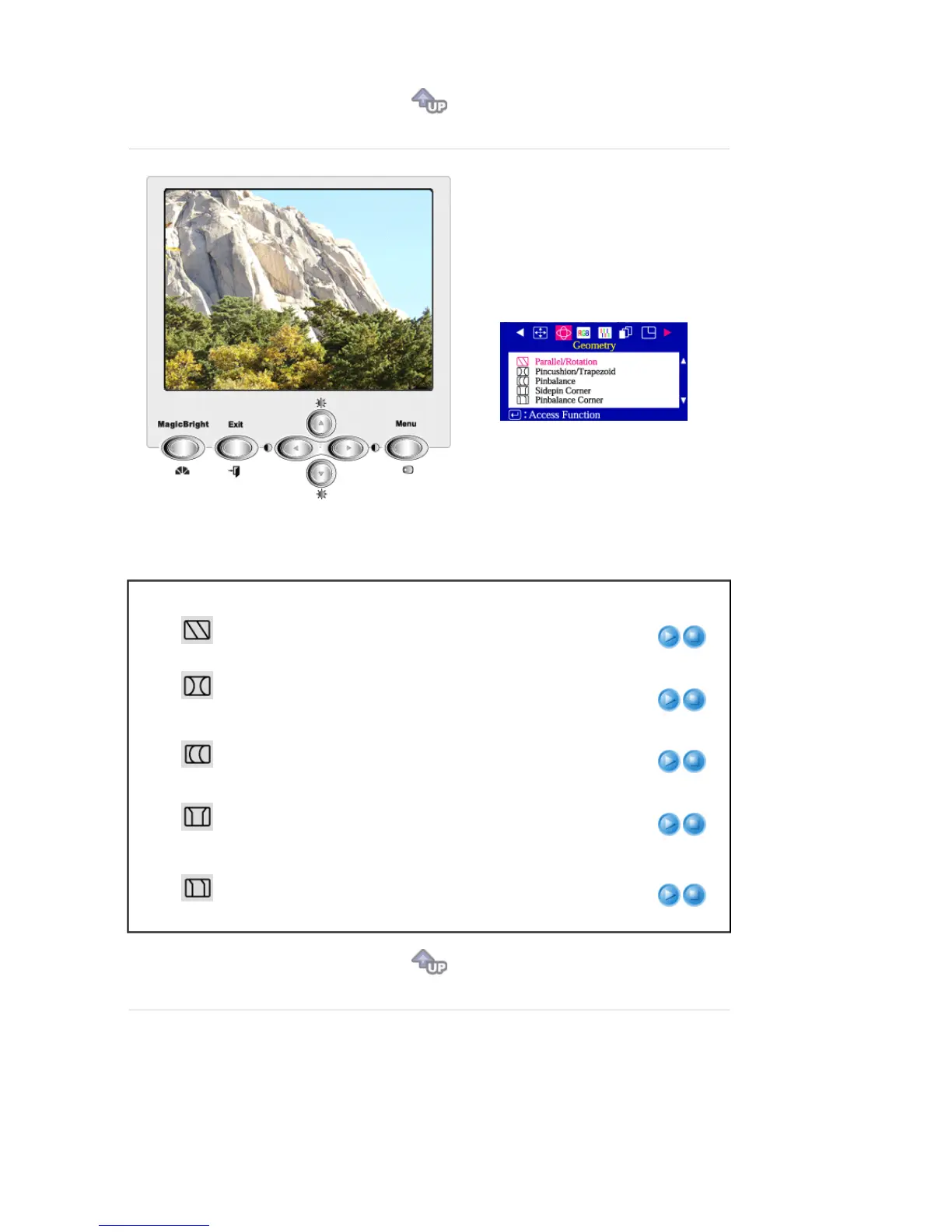
Menu Description Play/Stop
Parallel/Rotation
Adjust the parallelogram setting when the display is leaning
left or right; adjust the rotation setting when the entire display
is tilted left or right.
Pincushion/
Trapezoid
Adjust the pincushion setting when the sides of the display
are bowed in or bowed out; adjust the trapezoid setting when
the top or bottom of the display is too large or small.
Pinbalance
Adjust the pinbalance setting when the sides of the display
are bowed towards the left or right.
Sidepin Corner
Adjust the sidepin corner correction when the sides of the
display are bowed in or bowed out; adjust the side pin corner
correction when the top or bottom of the display is too large
or small.
Pinbalance Corner
Adjust the Pinbalance Corner correction when the sides of
the display are bowed in or bowed out; adjust the side
pinbalance corner correction when the top or bottom of the
display is too large or small.








 To Next Page