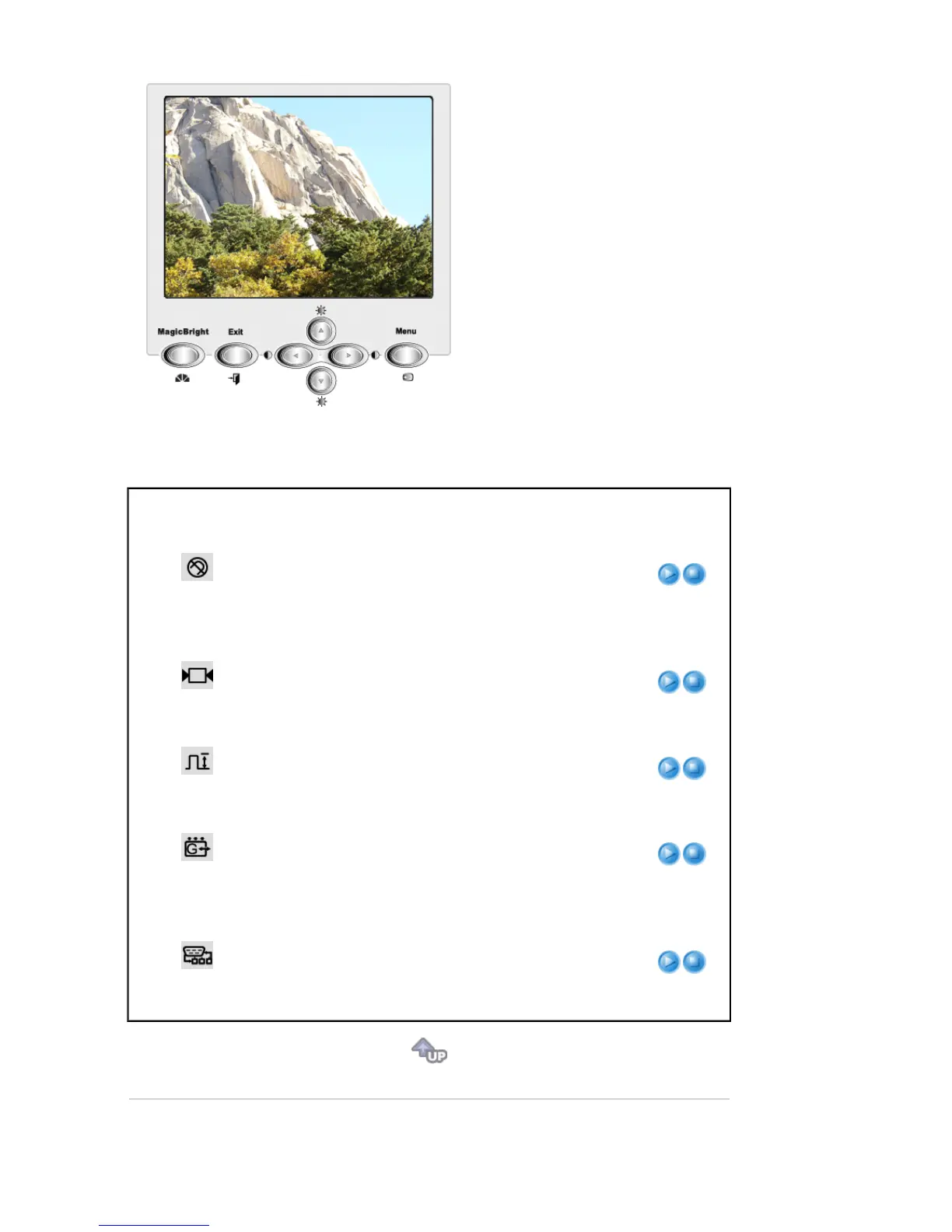
Menu Description Play/Stop
Degauss
The Degauss feature will remove color impurities caused by
magnetic fields.
Do not use the Degauss feature more than once within a 30-
minute period.
Note: The monitor may buzz momentarily, the image colors
may change and the image will jiggle for a few seconds.
These effects are normal.
Recall
Use the recall feature to reset these monitor settings to their
original levels: Position, Size, Parallelogram, Rotation,
Pincushion, Trapezoid, Pinbalance, Clear Moire.
Note: If you have selected "Yes", all settings listed
above will be reset. All other settings will remain the
same.
Video Input Level
Some video cards use video signals higher than 1.0V which
causes the display to be very bright.
For those video cards, use this feature to select the 1.0 V
Level.
Sync. Input Type
Use this menu to set your monitor to the correct type of
synchronization. Select 'Separate' if the computer is sending
a separate synchronization signal. Select 'Sync. on Green' if
the computer expects the monitor to synchronize with the
green signal it sends. Refer to your computer or video card
user's manual to determine the correct setting.
D-SUB/BNC
Use this menu to choose between the signal source
connected to the BNC connector input and the signal source
connected to the D-SUB connector input. Note: When you
are finished, wait for a few seconds and the screen will blank
then display the image from the new signal source(other
computer). A cable must be connected to both inputs to use
this function.








 To Next Page