7 English
4.
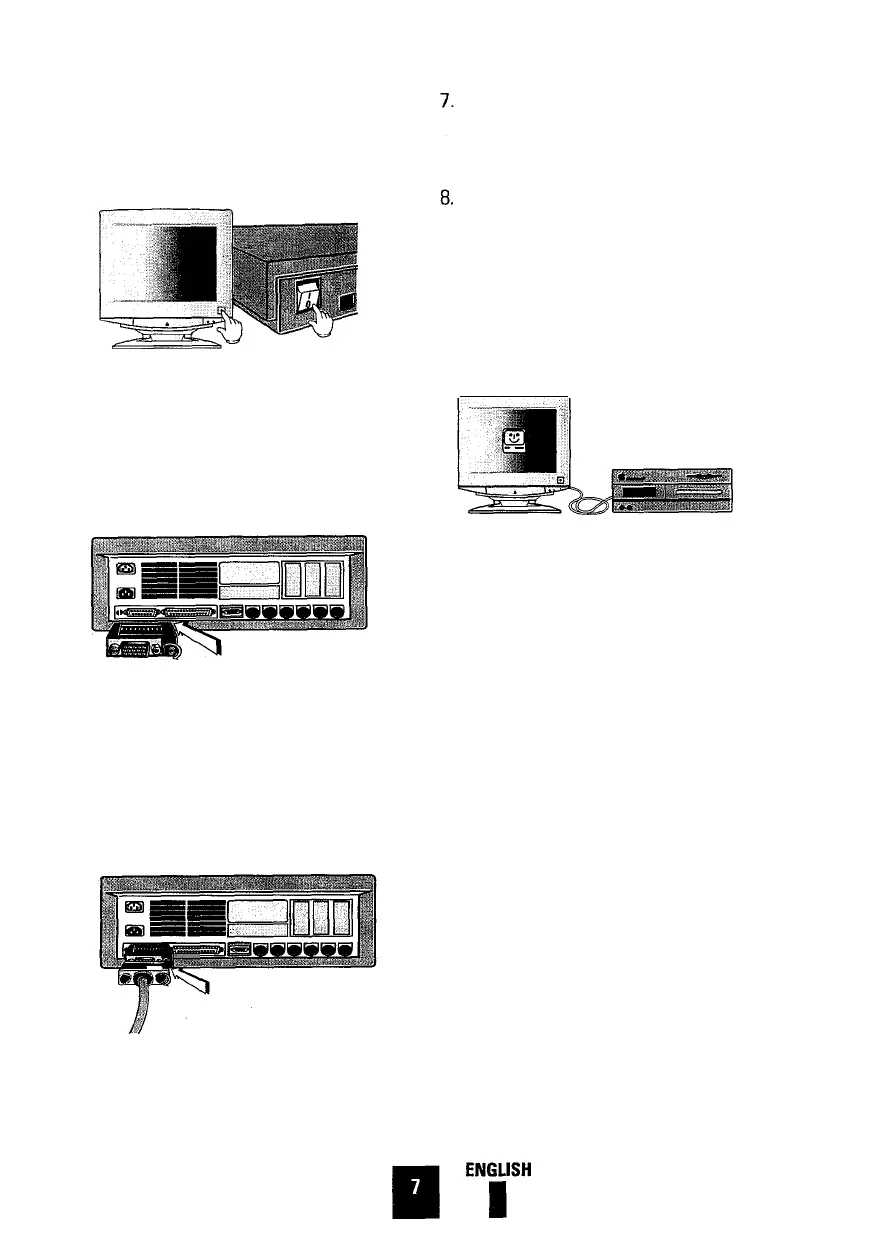
Power off your Macintosh computer
and monitor including other peripheral
devices.
5.
Connect the cable adapter to the video
port of the Macintosh computer.
Tighten the screws on the cable
adapter.
6.
Connect the monitor signal cable to
the other end of the cable adapter.
Tighten the screws of the monitor sig-
nal cable onto the cable adapter to
ensure proper connection.
Connect one end of the power cord to
the monitor and other end to the
power outlet.
Power on your monitor and Macintosh
computer. If you see any message on
your monitor screen, installation is
done. If you do not see any messages,
check each of your connections and
DIP switch settings and reboot your
system.
9.
If you need more information, please
refer to the MacMaster Cable Adapter
Users Manual, or contact the
Technical Support Center.







 To Next Page