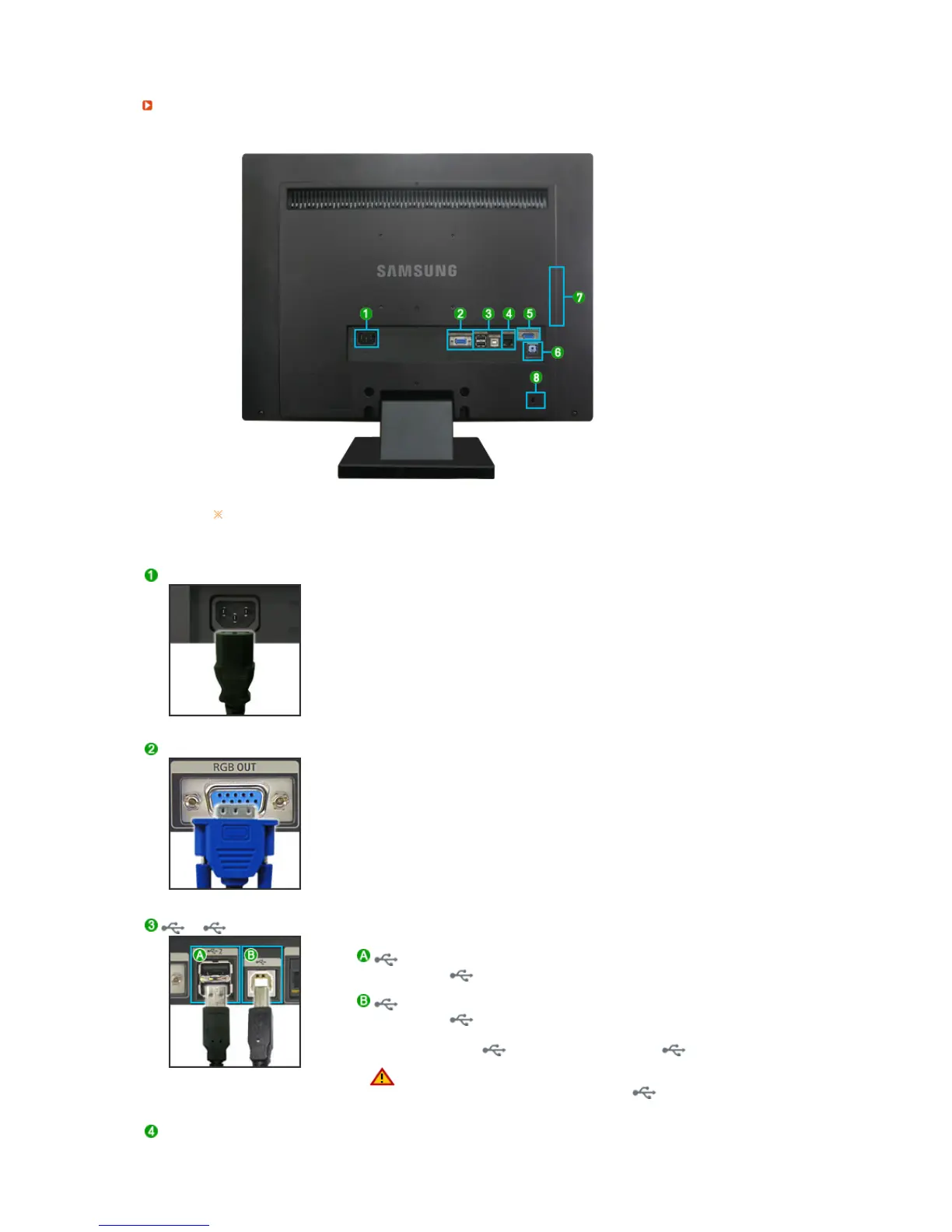
The configuration at the back of the monitor may vary from product to product.
POWER
z
POWER
: Connect the power cord for your monitor to the POWER on
the back of the monitor.
RGB OUT
z Connect when using it as a monitor.
2
/
2
: Connect the
2
of the USB monitor and a USB device with
the USB cable.
: Connect the
of the monitor and the USB of the computer
with the USB cable.
z
To use 2, you have to connect the
to the PC.
z
Make sure to use the USB cable supplied with this
monitor to connect the monitor's and your
computer's USB.
LAN (LAN Connection Terminal)






 To Next Page