z
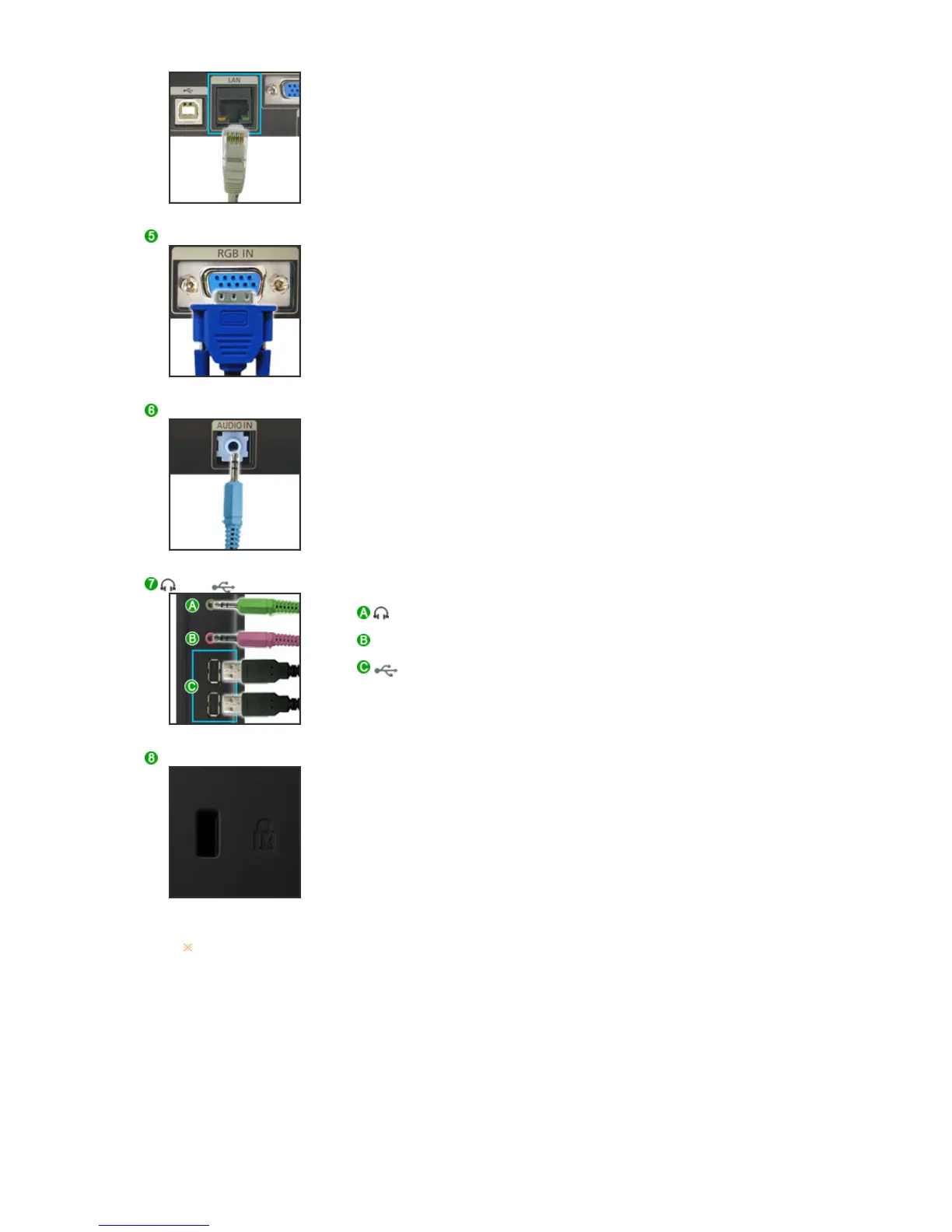
Connect when using it as a monitor.
RGB IN
z
RGB IN
:Connect the signal cable to the 15-pin, D-sub port on the back of
your monitor.
AUDIO IN
z
AUDIO IN
: Connect the audio cable for your monitor to the audio port on the
back of your computer.
/ MIC/
(Earphone jack)
: Headphone connection terminal.
MIC (The Microphone connection terminal)
: Connect a microphone to the MIC terminal.
(USB Connection Terminal)
: Connect USB devices such as a mouse, keyboard and external
storage devices (DSC, MP3, external storage, etc.).
Kensington Lock
z
The Kensington lock is a device used to physically fix the system
when using it in a public place.
(The locking device has to be purchased separately.)
For using a locking device, contact where you purchase it.
See Connecting Cables for further information regarding cable connections.






 To Next Page