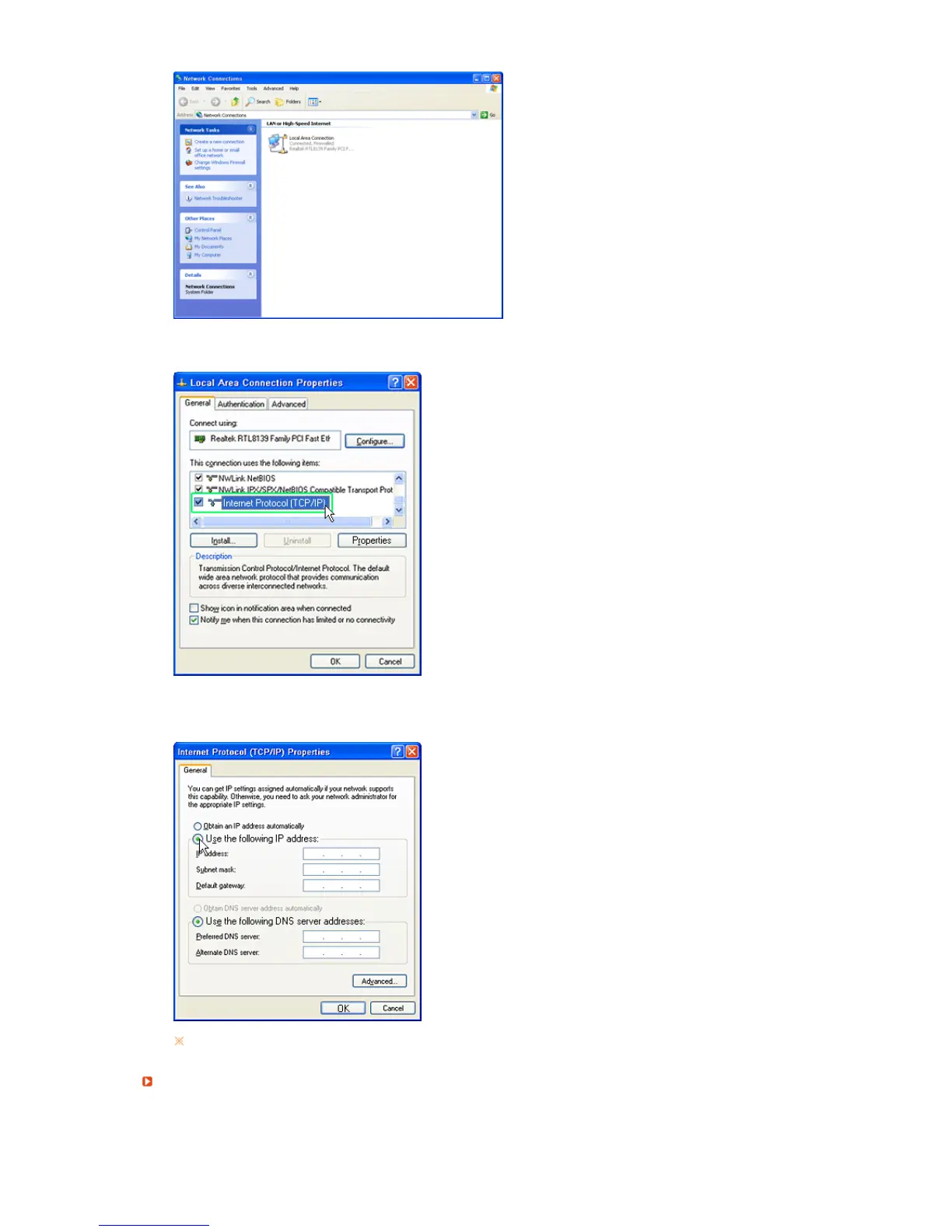
3. In the
Local
Area Connection Properties
window, select
Internet Protocol (TCP/IP)
and click on
Properties
.
4. Select
Use the following IP address
and
Use the following DNS server addresses
in the
General
tab in the
Internet Protocol (TCP/IP) Properties
, enter an IP address and click the
OK
button as
shown below.
To use a fixed IP address, consult your network administrator.
Checkin
our Pc’s IP Address
Check the IP address of your PC. If you do not know the IP address of your PC, you cannot use
SYNCON’s video call function.






 To Next Page