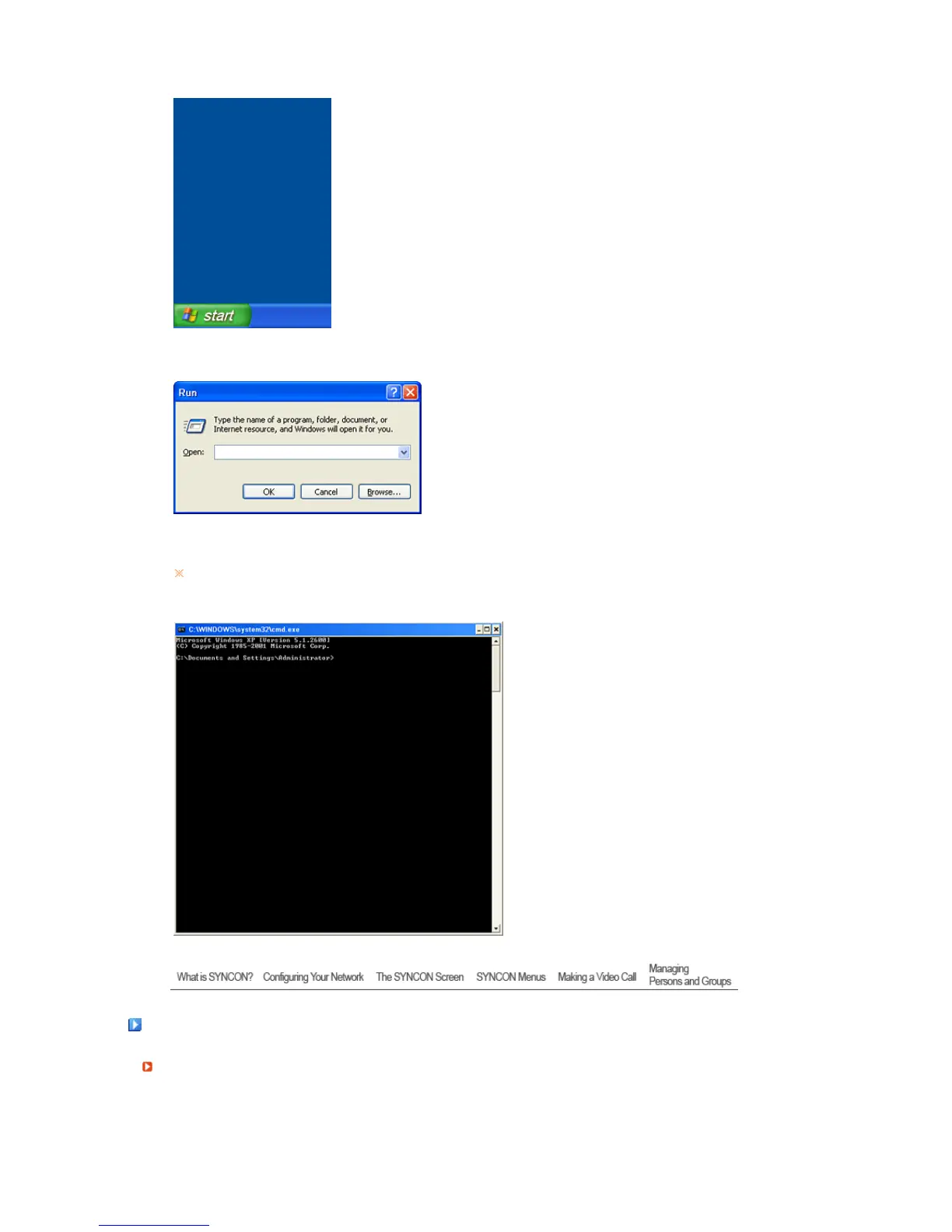
1. Click
Start
and
Run
.
2. In the
Run
window, type
'cmd'
and click
OK
.
3. If the following screen appears, type
'ipconfig'
and press the Enter key on the keyboard.
The current IP address of your PC will be displayed.
If the network connection is unstable or the LAN cable is disconnected, the IP address of the
PC will not be displayed.
The SYNCON Screen
Main Screen






 To Next Page