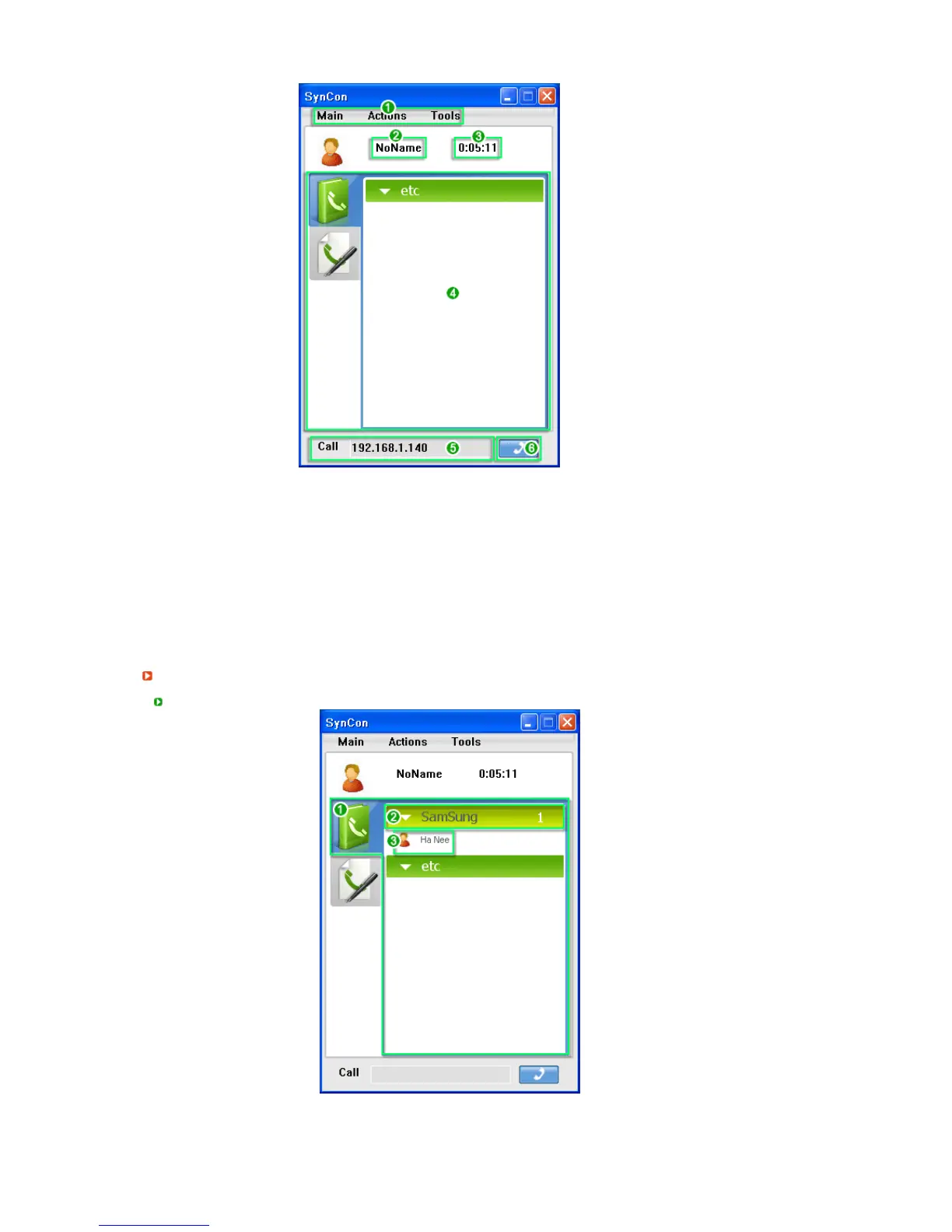
1. The main menu allows you to navigate the basic functions of SYNCON sequentially.
(In addition, you can right-click the opposite party or group to start a conversation and use the
functions available in the displayed menu.)
2. Displays the username for the Instant Message and Call functions.
3. Shows the elapsed video call time. (This only appears when a video call is in progress.)
4. You can view your phonebook and call history.
5. Directly enter the IP address to call.
6. Click the Send button to connect to the IP address entered in Step 5.
Phonebook and Call Histor
Screens
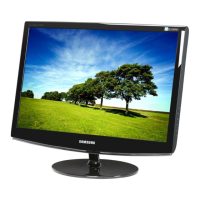
Phonebook Screen
1. Displays the persons registered to your phonebook.
2. Displays the groups in your phonebook.
3. If you click on No. 2 (group), the users registered to the corresponding group will appear.






 To Next Page