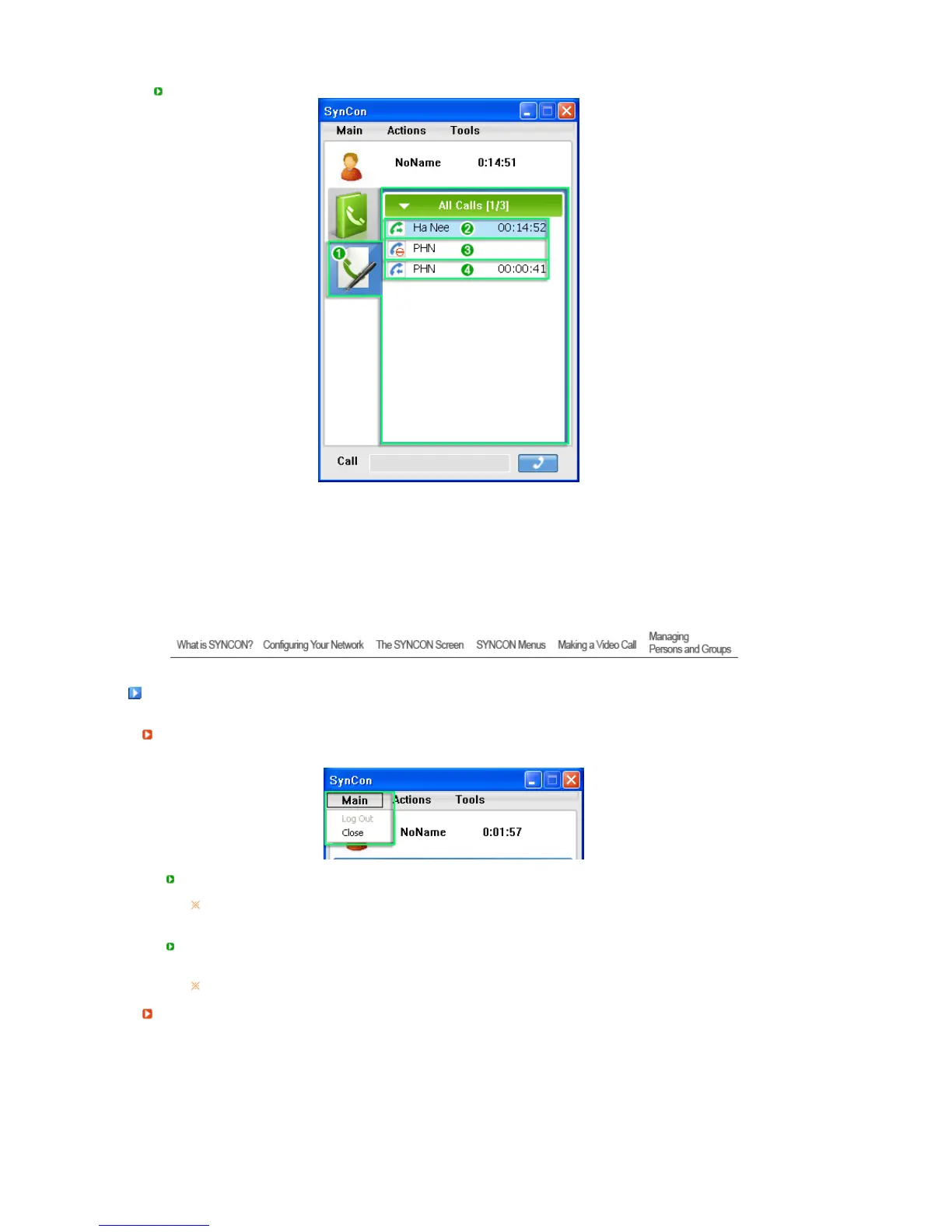
Screen
1. Displays the outgoing, incoming, and missed calls. They are sorted in the order of the time
that the call was made.
2. Displays the time of calls made. (Outgoing calls)
3. Displays the time of missed calls. (Missed calls)
4. Displays the time of calls received. (Incoming calls)
SYNCON Menus
Main
Lo
Out
- Logs out from the SYNCON system.
The
Log Out
function may be restricted depending on whether the current mode is
Server
or
Non-Serve
mode.
Close
- Minimizes SYNCON to an icon in the system tray.
To exit SYNCON , use the menu displayed when right-clicking the icon in the system tray.
Actions
You can use basic functions, such as making a call, instant messaging, and muting the sound, etc.






 To Next Page