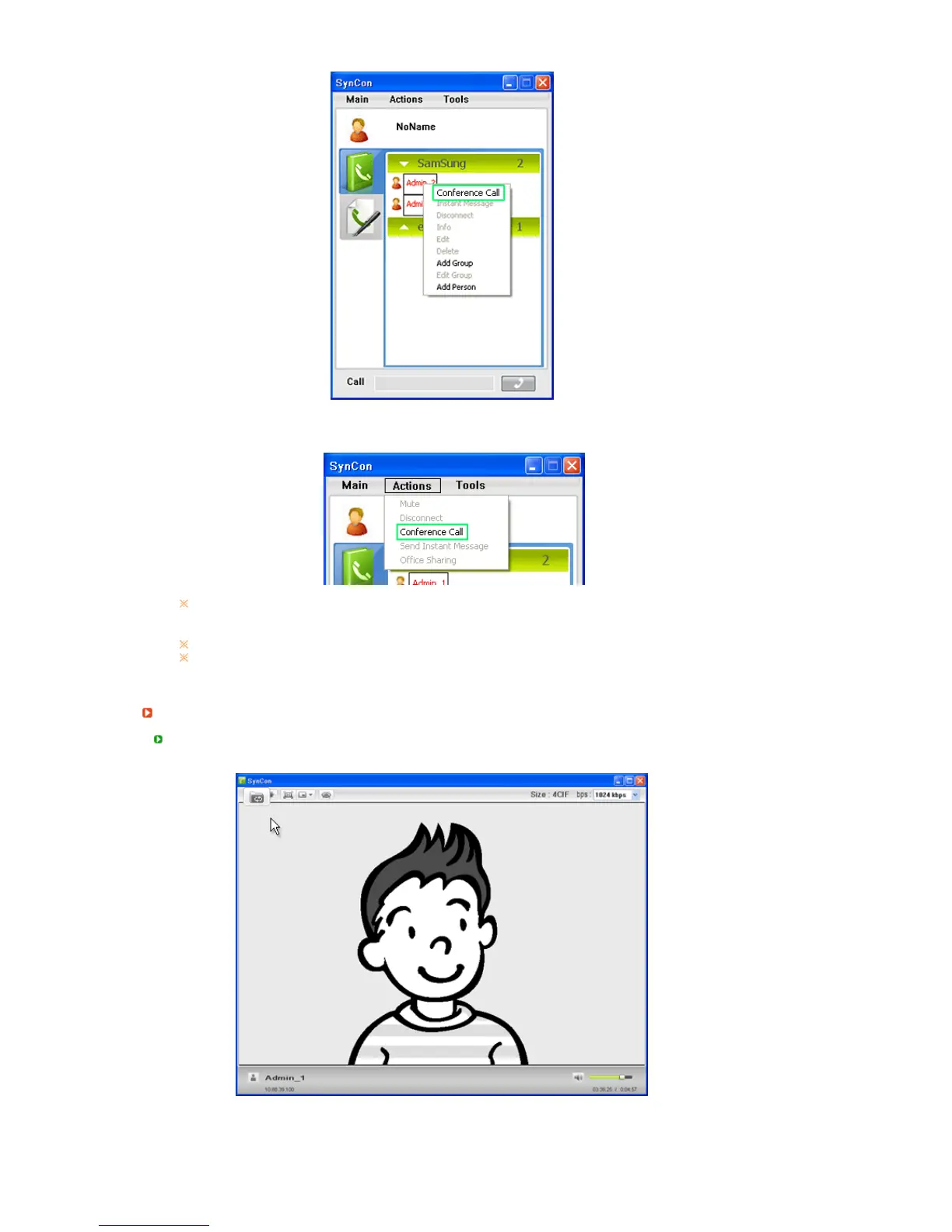
1. Select 2 or more users to talk to in the SYNCON Phonebook screen by dragging the users with
the mouse. Right-click over them and select
Conference Call
to make a conference call with 2
or more users.
2. You can make a conference call by selecting 2 or more users to talk to by dragging the users
with the mouse and selecting [Actions] > [Conference Call] from the pop-up menu that appears
when right-clicking.
conference call supports up to 5 users besides yourself.
The screen for a participant may be black during the conference call. When this occurs, ask
your system administrator for assistance.
Sharin
an Office File with the Opposite Part
1. Click the Office Sharing button in the video call screen.
2. The Open window is displayed as shown in the figure below. Select the file you want to share
and click OK.






 To Next Page