SyncMaster 320TFT/520TFT 4-1
4 Opearating Instructions
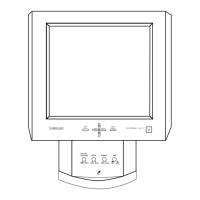
4-1 Control and Connectors
Figure 4-2. Rear View
Figure 4-1. Front View and Control
1
2
3
4
5
67
8
9
10
1 Power Button
Menu Button
Exit Button
Up / Down / + / – Buttons
Audio On / Off & Volume Buttons
Bass Button
Treble Button
Microphone On / Off Button
Microphone
Amplified Stereo Speakers
3
4
5
6
7
8
9
10
2
Location Symbol Description
Table 4-1. Front Panel Controls
Power port
Microphone out port
Audio in port
Headphone jack
External microphone jack





 To Next Page