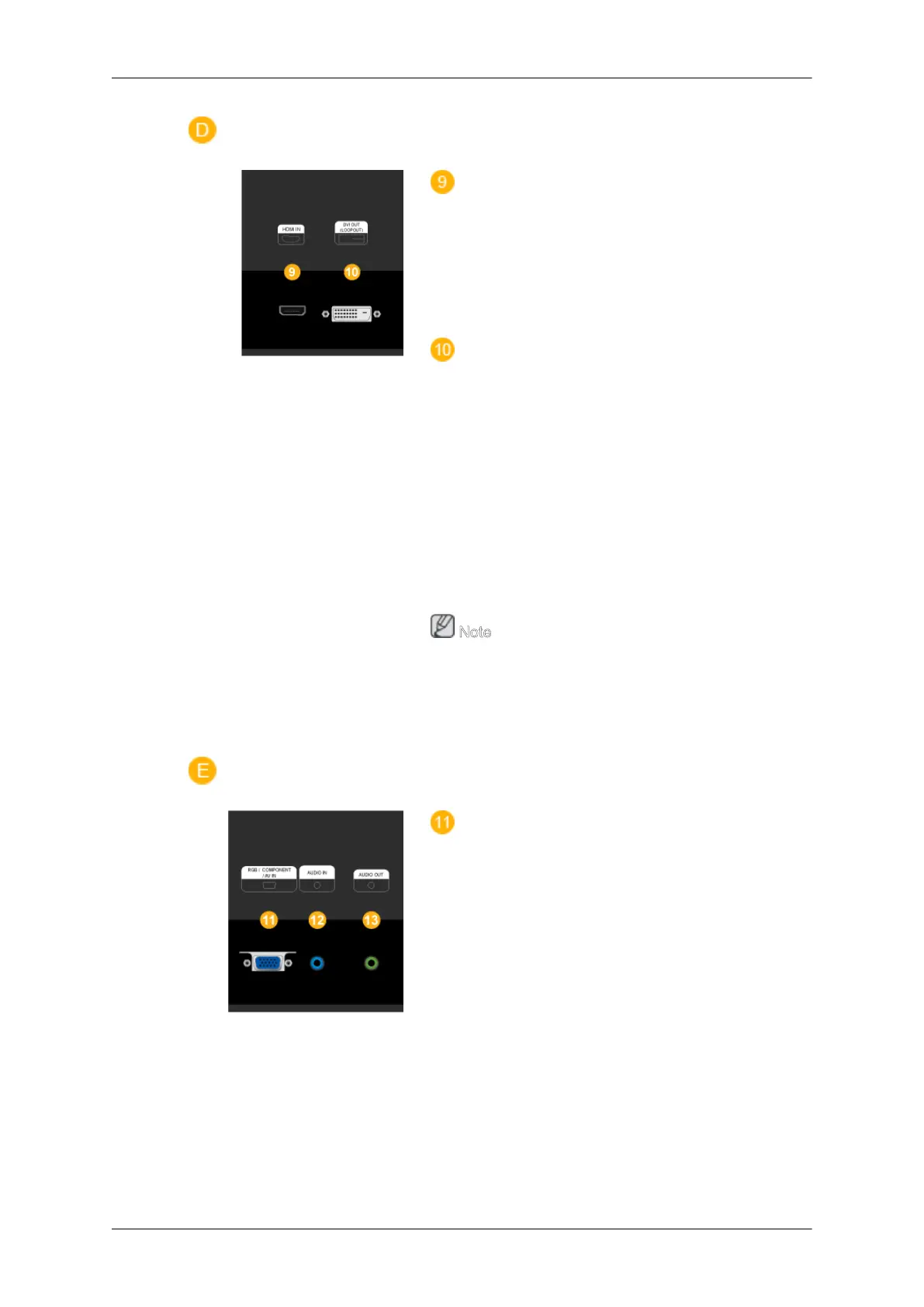
HDMI IN
• Connect the HDMI terminal at the back of
your LCD Display to the HDMI terminal of
your digital output device using a HDMI
cable.
• Up to HDMI 1.0 can be supported.
DVI OUT(LOOPOUT)
• Connect a monitor to another monitor
through a DVI, DVI to HDMI cable.
• Connect the [DVI OUT(LOOPOUT)] port
on the monitor to the [HDMI IN] port on
the other monitor using the DVI to HDMI
cable.
• HDMI and network signals sent via the
[DVI OUT(LOOPOUT)] port are dis-
played on the second display which has
the DVI IN port.
Note
A maximum of 6 monitors can be connected
to DVI-Loopout. However, up to 10 monitors
can be connected in Full HD mode
depending on the type of cable or signal
equipment connected.
RGB / COMPONENT / AV IN
• Connect the [RGB/COMPONENT/AV IN]
port of the product to the RGB port of the
PC using the D-SUB cable.
• Connect the [RGB / COMPONENT / AV
IN] port on the monitor to the Component
port on the external device using the RGB
to Component cable.
• Connect the [RGB / COMPONENT / AV
IN] port on the monitor to the BNC port on
the PC using the RGB to BNC cable.
• Connect the [RGB / COMPONENT / AV
IN] port on the monitor to the AV port on
the external device using the RGB to AV
cable.
Introduction
13







 To Next Page