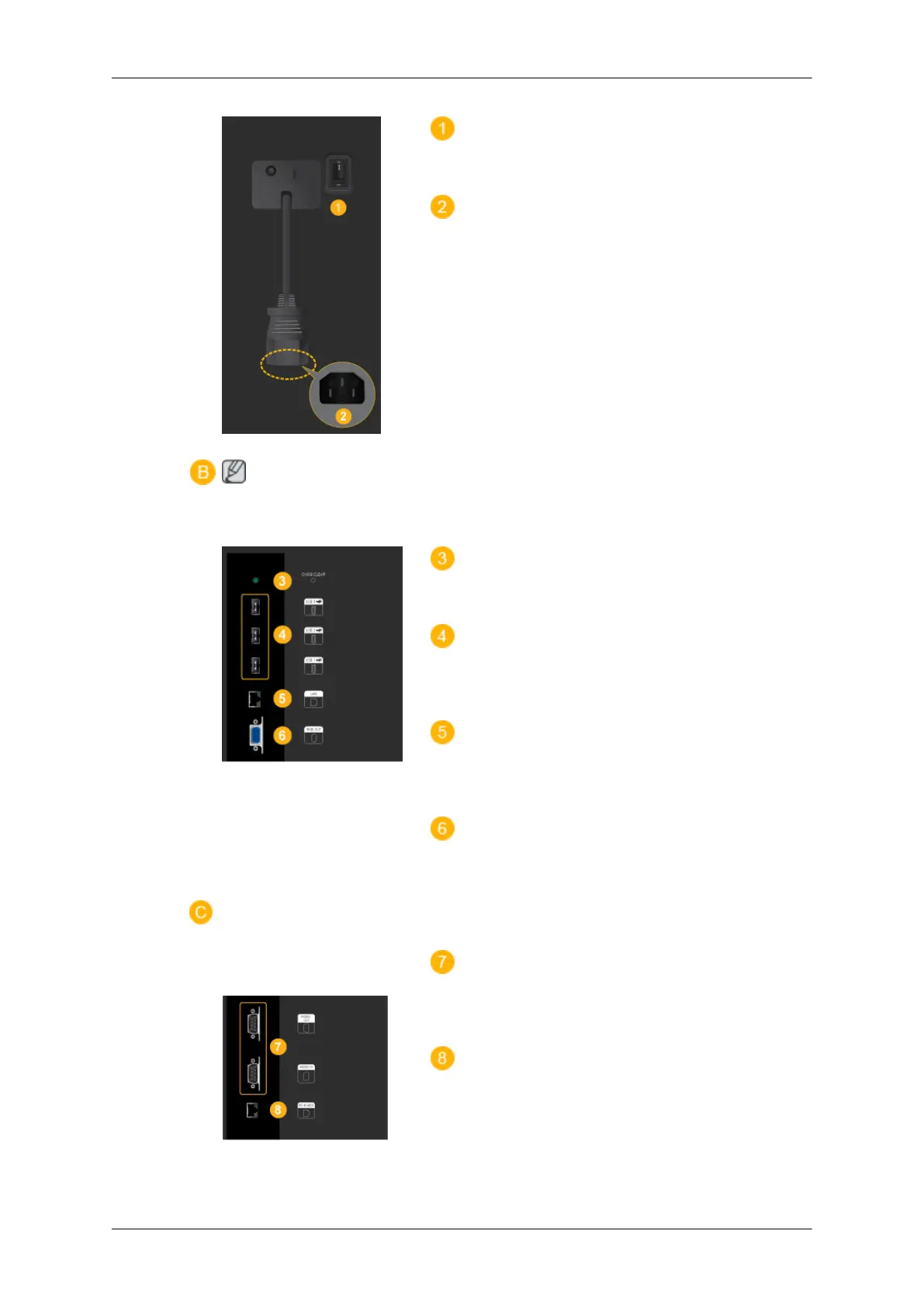
POWER S/W ON [
│
] / OFF
Switches the LCD Display On/Off.
POWER
The power cord plugs into the LCD Display
and the wall outlet.
Note
Applicable to the EXn
model only.
CMOS CLEAR
Resets MagicInfo.
USB 1 / 2 / 3 (USB Connection Terminal )
Keyboard / Mouse, Mass Storage Device
Compatible.
LAN (LAN Connection Terminal)
Connects to a LAN cable to allow Internet or
network access in MagicInfo mode.
RGB OUT
MagicInfo video output port
RS232C OUT / IN (RS232C Serial
PORT)
MDC(Multiple Display Control) Program Port
RJ 45 MDC (MDC PORT)
MDC(Multiple Display Control) Program Port
Introduction
12







 To Next Page