MENU → ENTER → → → ENTER →
Note
• PIP turns off when the LCD Display is switched to an external source.
•
If you select , , in Size, Position and Transparency will not be activated.
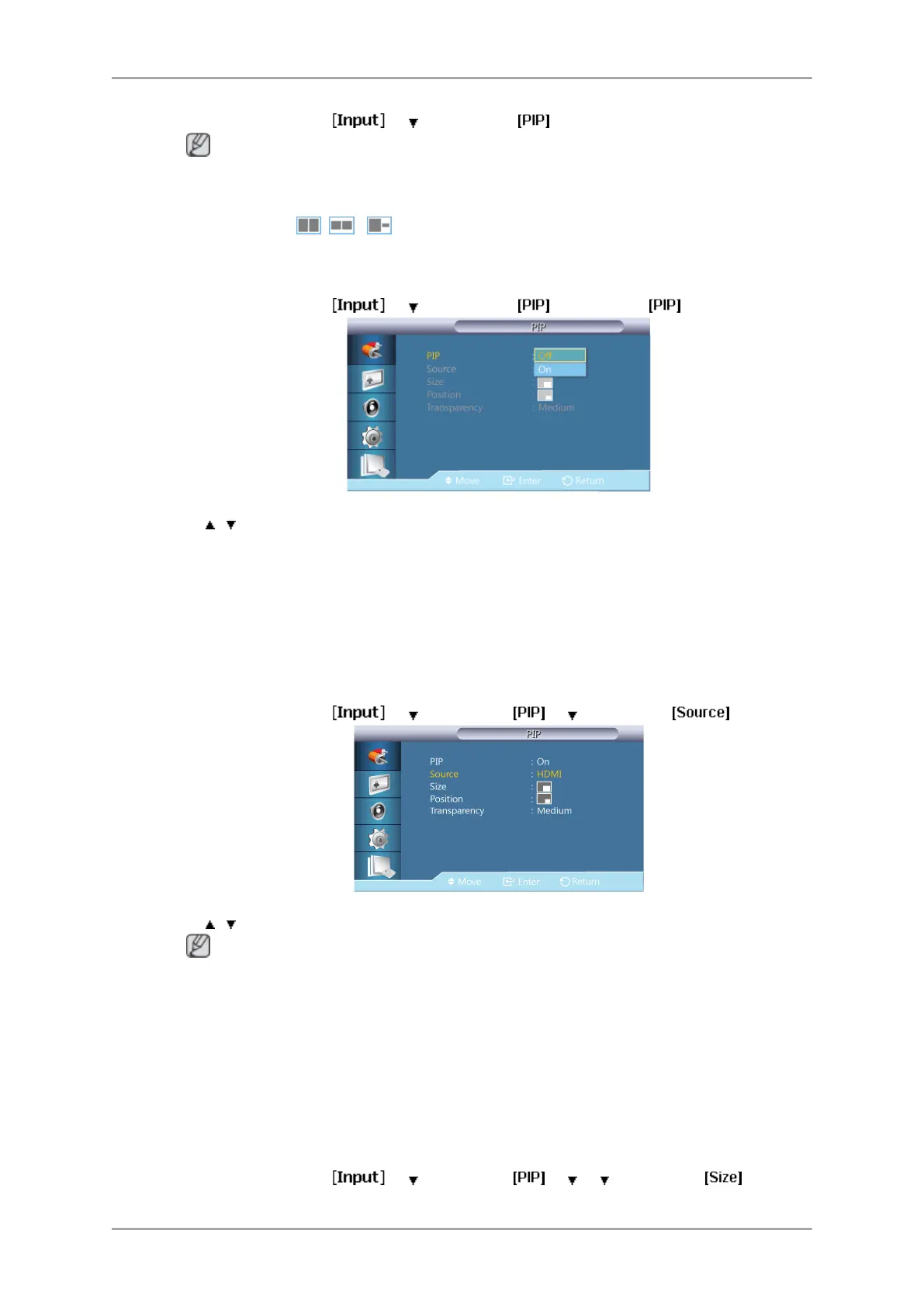
PIP
MENU → ENTER → → → ENTER → → ENTER →
→ , → ENTER
Turns the PIP Screen Off/On.
• Off
• On
Source
MENU → ENTER →
→ →ENTER → → →ENTER →
→ , → ENTER
Note
For PC, this is deactivated if the cable is disconnected.
Selects the input source for the PIP.
• PC : HDMI
• HDMI : PC
Size
MENU → ENTER →
→ →ENTER → → → →ENTER →
Adjusting the LCD Display
53



 To Next Page