7. 180
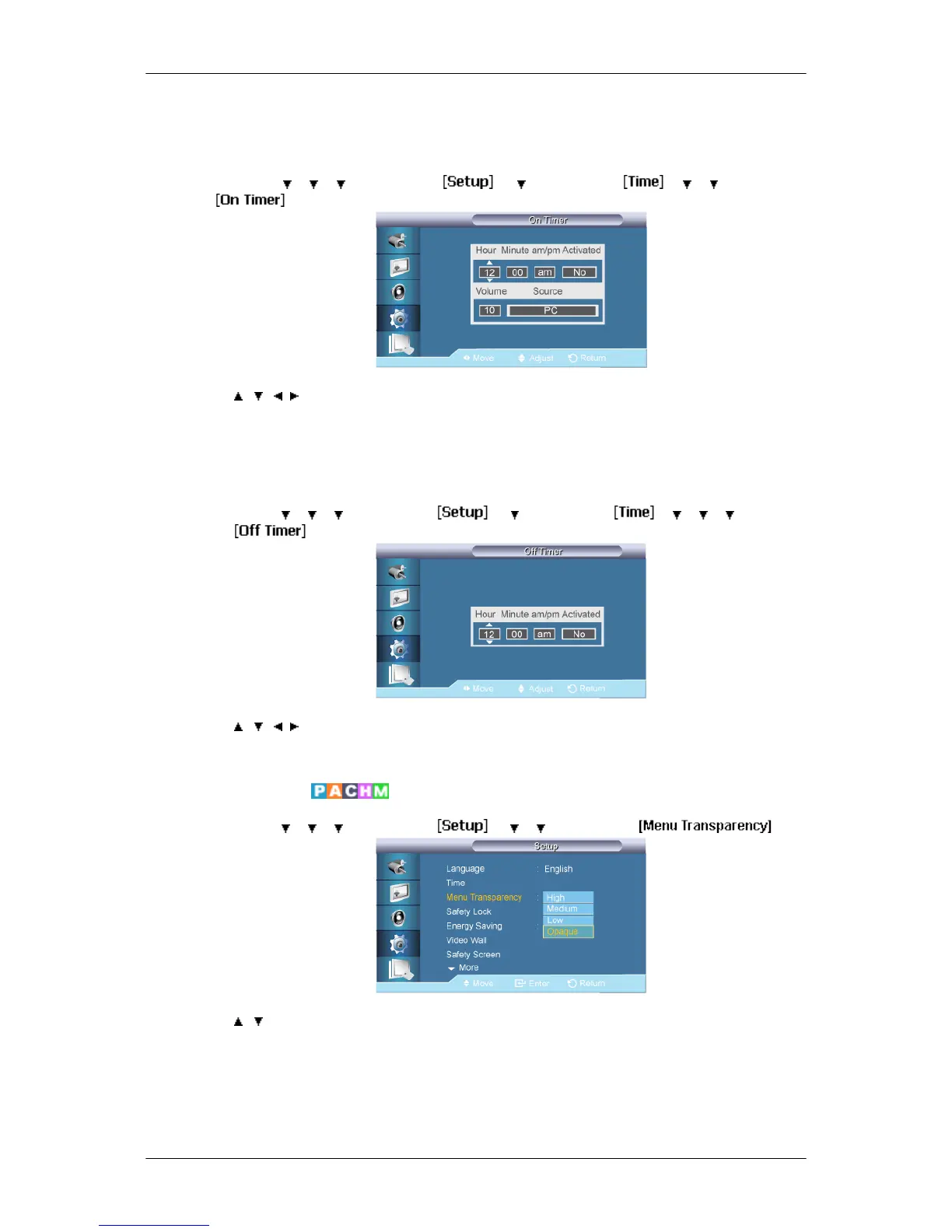
On Timer
MENU → → → → ENTER → → → ENTER → → → → ENTER→
→ , / , → ENTER
Turns the LCD Display on automatically at a preset time. Controls the mode and the volume
level at the time the LCD Display turns on automatically.
Off Timer
MENU →
→ → → ENTER → → → ENTER → → → → → ENTER
→
→ , / , → ENTER
Turns the LCD Display off automatically at a preset time.
Menu Transparency
MENU → → → → ENTER → → → → ENTER →
→ , → ENTER
Change the transparency of the background of the OSD.
1. High
2. Medium
Adjusting the LCD Display






 To Next Page