Note
The audio-video cables shown here are usually included with a Camcorder. (If not, check
your local electronics store.) If your camcorder is stereo, you need to connect a set of two
cables.
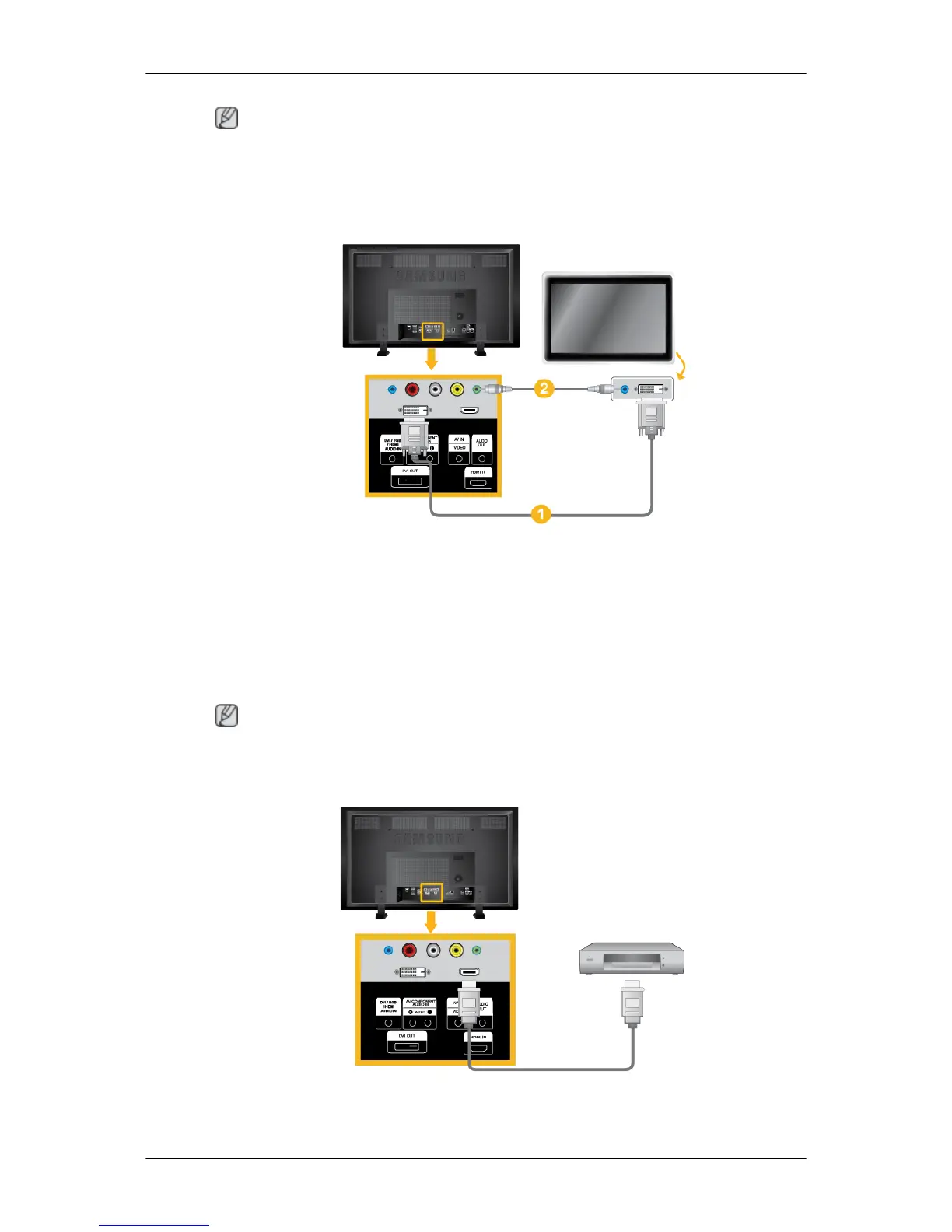
Connecting Using a DVI Cable
1. Connect between the DVI OUT port on the LCD Display and the input port on another
monitor using a DVI cable.
2. Connect between the AUDIO OUT port on the LCD Display and the audio input port on
another monitor using a stereo cable.
3. Select DVI using the SOURCE button on the front of the LCD Display or on the remote
control.
Note
DVI OUT does not support HDCP.
Connecting Using a HDMI Cable
1. Connect input devices such as a Blu-Ray/DVD player to the HDMI IN terminal of the LCD
Display using an HDMI cable.
Connections
32














 To Next Page