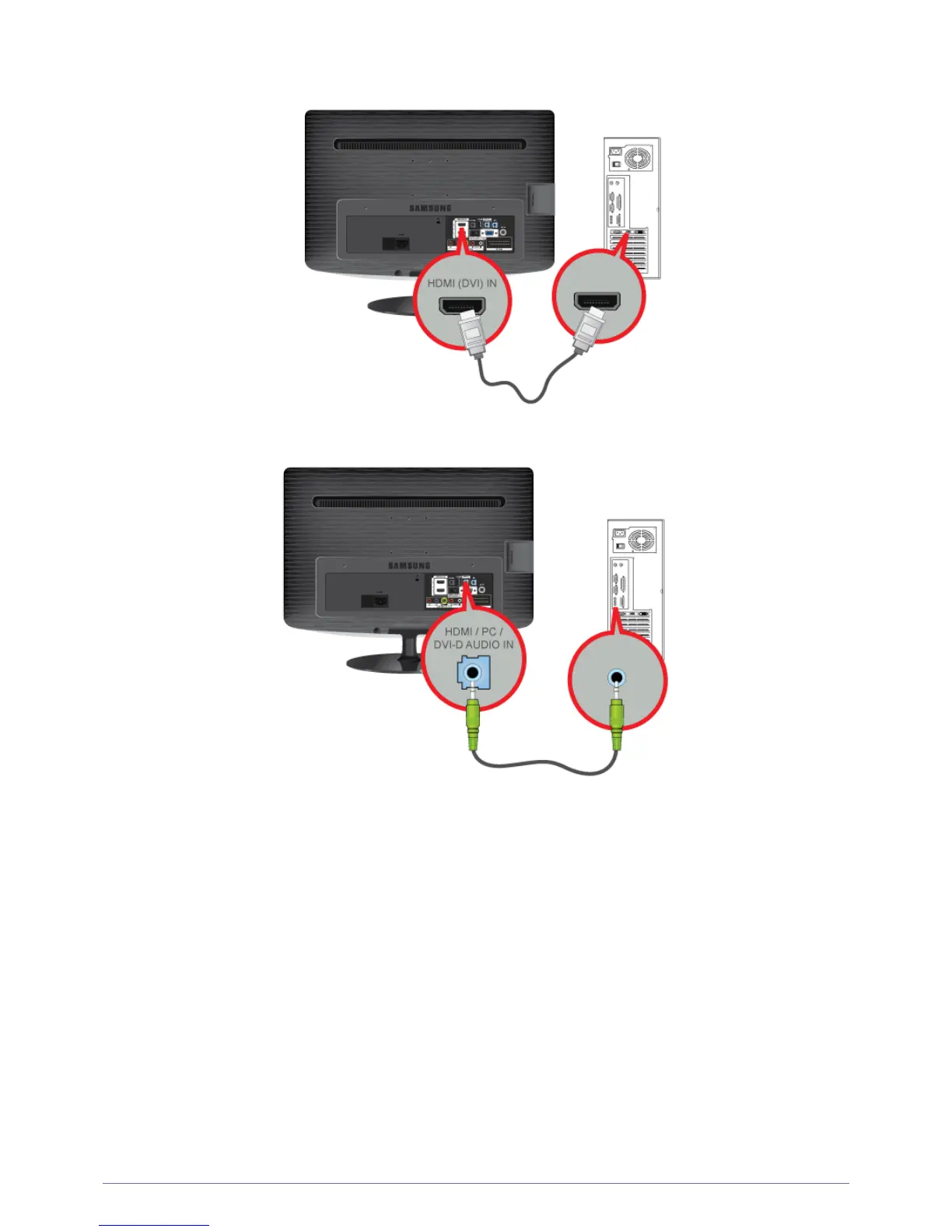
2-5 Installing the Product
• Connect the [HDMI(DVI) IN] port of the product to the HDMI port of the PC with the HDMI cable.
2. Connect the [HDMI/PC/DVI-D AUDIO IN] port on the rear side of the monitor to the sound card of the PC.
3. To use the monitor, connect the power cable to a power outlet and the [POWER] port on the monitor.
(The input voltage is switched automatically.)





 To Next Page