Installing the Product 2-11
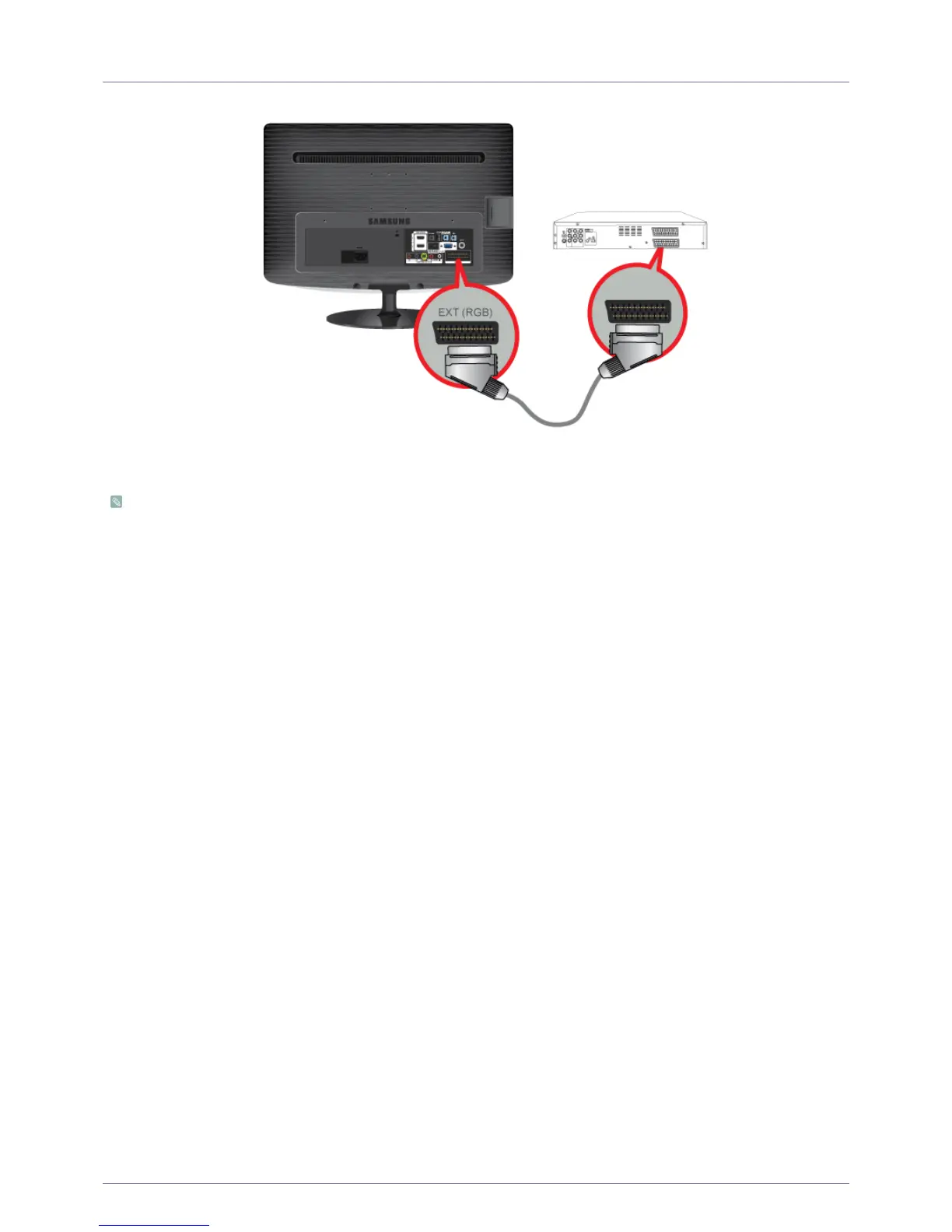
2-11 Connecting a Scart cable
1. Connect the [EXT(RGB)] port of the monitor to the DVD Player using a SCART jack.
2. When a Scart device is connected to your monitor, the Source automatically changes to EXT.
• Connect to the DVD Devices input if the device has a [EXT [RGB]] jack.
• You can watch DVD simply by hooking up the DVD player with the monitor as long as the power is on.





 To Next Page