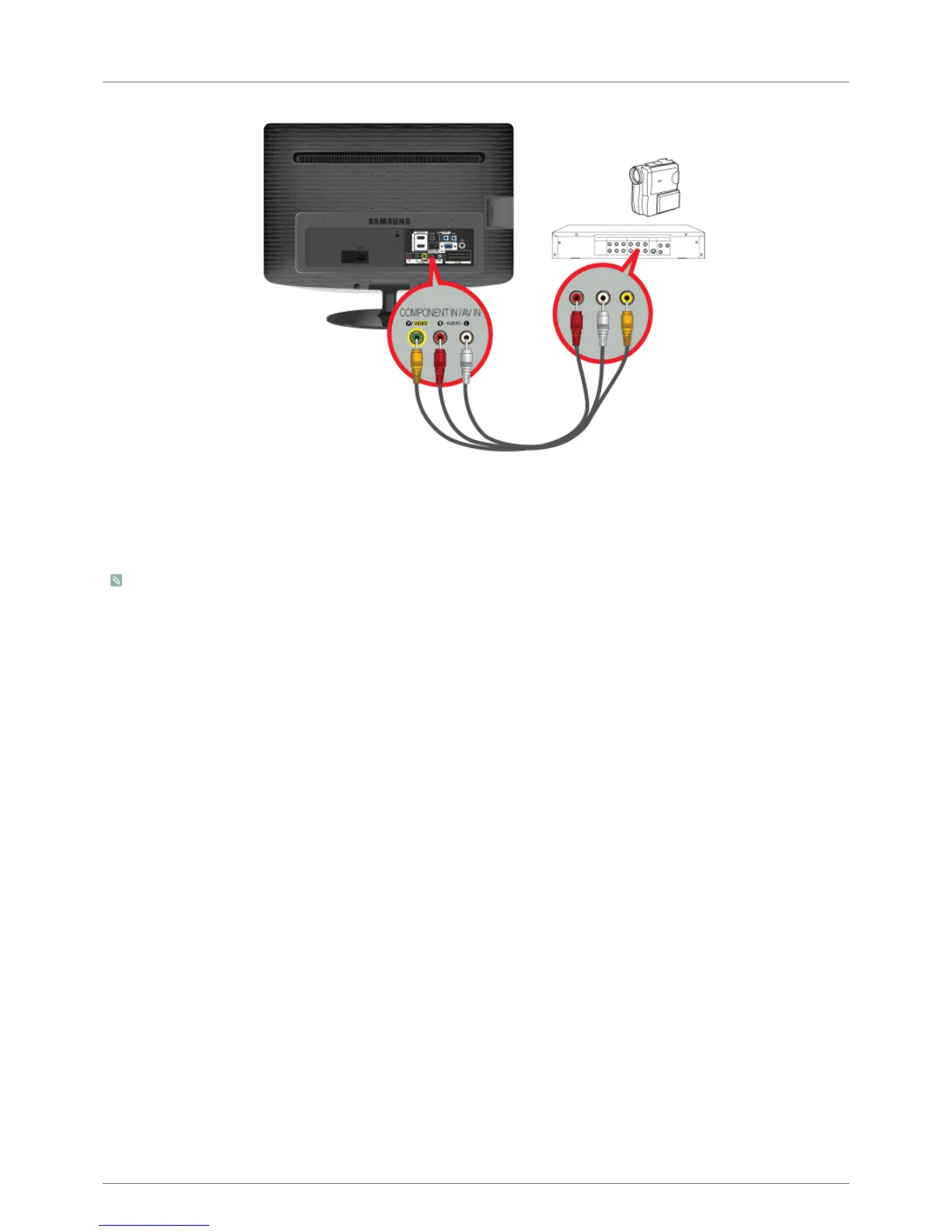
2-10 Installing the Product
2-10 Connecting AV Devices
1. Connect the port of the AV device (DVD/VCR/Cable/Satellite box/Camcorder) to the [COMPONENT IN / AV IN [R-AUDIO-L]]
port of the product.
2. Connect the video output terminal of the AV device and the [COMPONENT IN / AV IN [Y/VIDEO]] of the monitor using a video
cable.
3. Select <AV> using the [SOURCE] button on the remote.
The audio-video cables shown here are usually included with a Camcorder. (If not, check your local electronics store.)





 To Next Page