Installing the Product 2-9
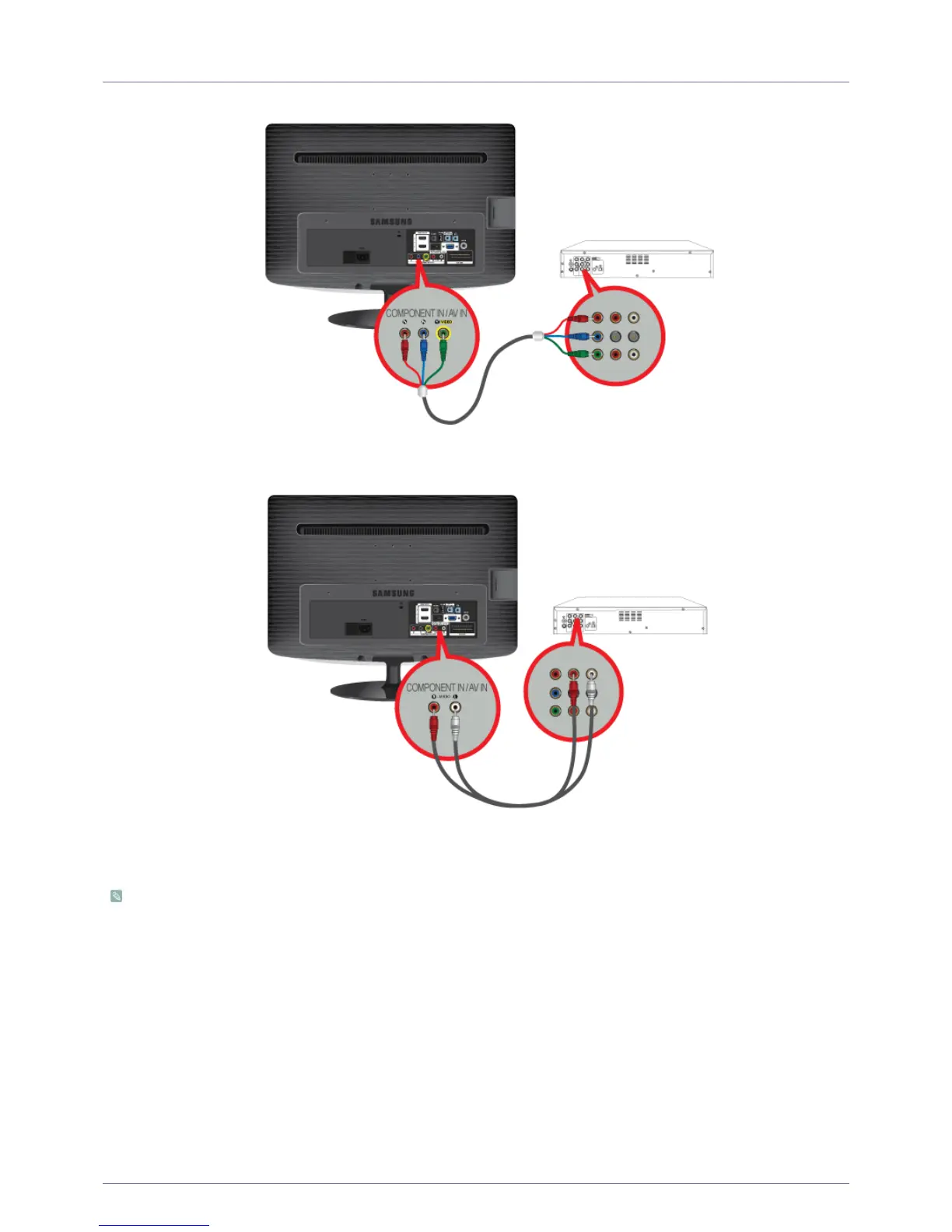
2-9 Connecting a Component cable
1. Connect the VIDEO OUT port of the AV device (DVD/VCR/Cable/Satellite box) to the [COMPONENT IN / AV IN [P
R
, P
B
, Y/
VIDEO]] input ports using a component video cable [P
R
, P
B
,Y].
2. Connect the audio port of the AV device (DVD/VCR/Cable/Satellite box) to the [COMPONENT IN / AV IN [R-AUDIO-L]] port of
the monitor.
Press the [SOURCE] button at the front of the monitor or on the remote control to select the <Component> mode.
For an explanation of Component video, consult your DVD/VCR/Cable/Satellite box manual.





 To Next Page