Installing the Product 2-13
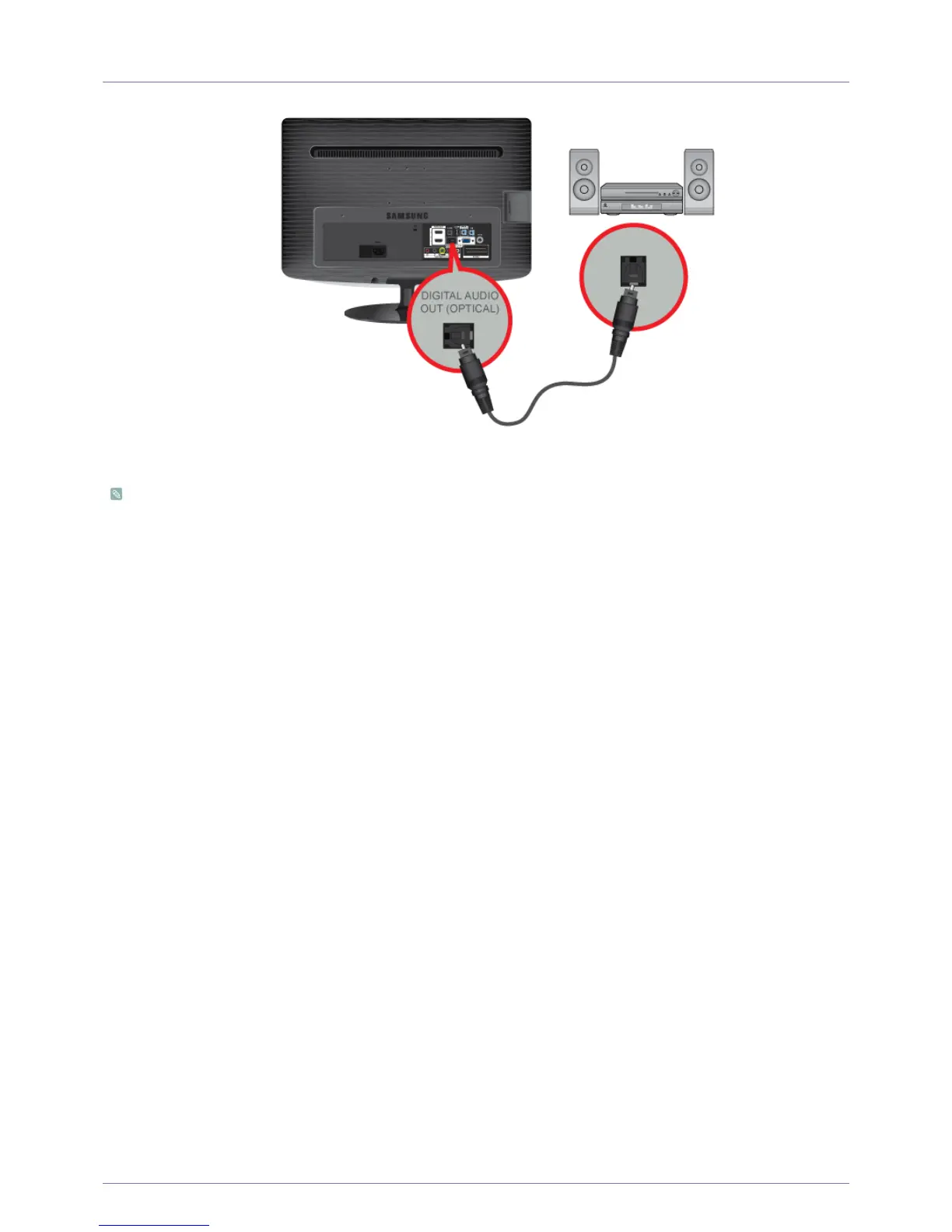
2-13 Connecting to an Amplifier
Connect the [DIGITAL AUDIO OUT (OPTICAL)] terminal of your monitor to the optical input of your amplifier using an optical
cable.
• If no sound is emitted from the monitor, you need to use an amplifier.
• For information on how to connect a speaker and amplifier, refer to the respective user manuals provided by their
manufacturers.





 To Next Page