Using the Product 3-7
If more than one recording device is connected, they are displayed as (*recorder) and if only one recording device is
connected, it will be represented as (*device_name).
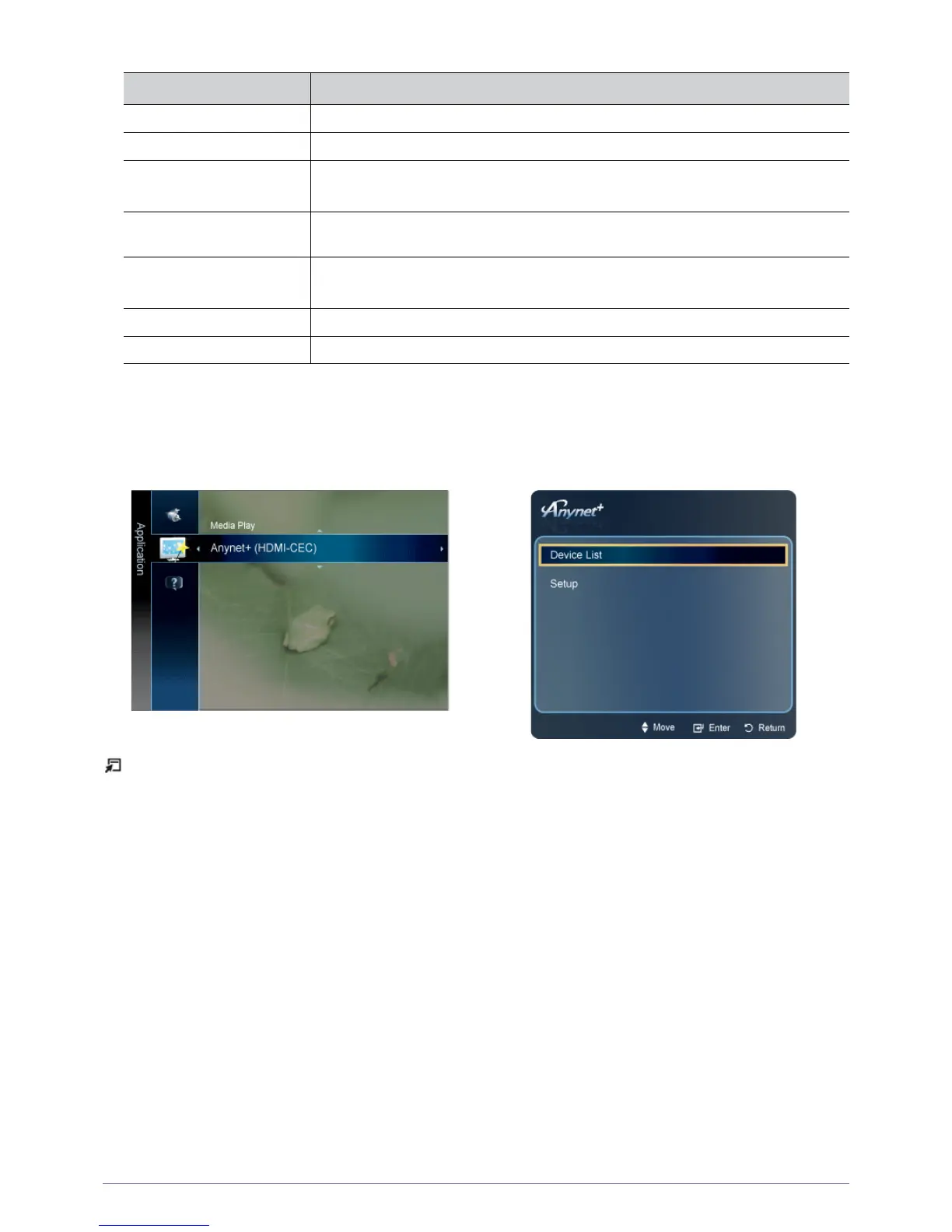
Setting Up <Anynet+>
Press the [TOOLS] button to display the Tools menu. You can also display the <Anynet+> menu by selecting <Tools> →
<Anynet+ (HDMI-CEC)>
<ANYNET+> MENU DESCRIPTION
View TV Changes <Anynet+> mode to TV broadcast mode.
Device List Shows the Anynet+ device list.
Recording: (*recorder) Starts recording immediately using the recorder.
(This is only available for devices that support the recording function.)
(device_name) MENU Shows the connected device menus. E.g. If a DVD recorder is connected, the disc menu of
the DVD recorder will appear.
(device_name) INFO Shows the play menu of the connected device. E.g.
If a DVD recorder is connected, the play menu of the DVD recorder will appear.
Stop Recording: (*recorder) Stops recording.
Receiver Sound is played through the receiver.





 To Next Page