91
Setup and Reset
7
7 Setup and Reset
7.6 Auto Source
Activate Auto Source.
7.6.1 Configuring Auto Source
1 Press [ ] on the product.
2 Press [ ] to move to SETUP&RESET and press [ ] on the product.
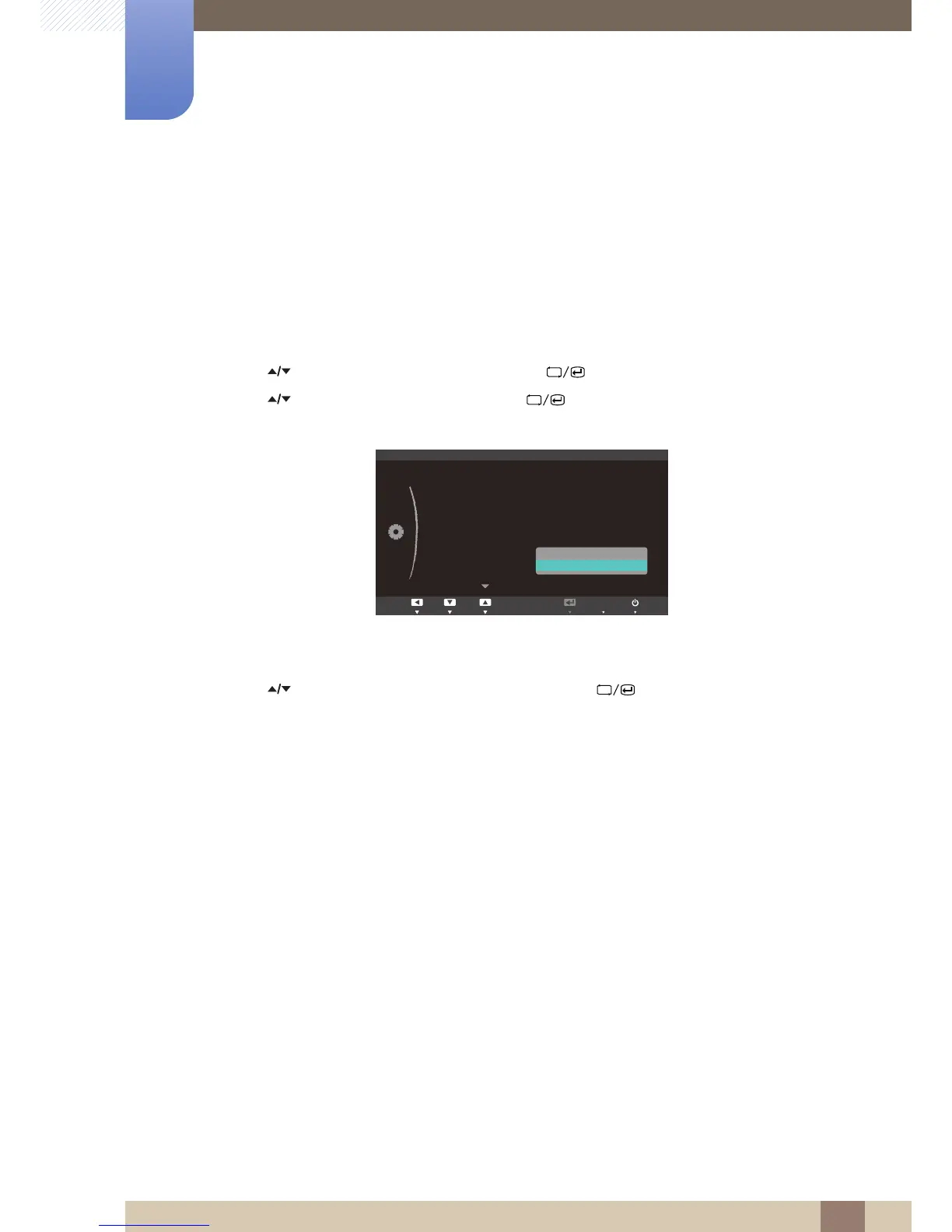
3 Press [ ] to move to Auto Source and press [ ] on the product. The following screen will
appear.
z Auto: The input source is automatically recognized.
z Manual: Manually select an input source.
4 Press [ ] to move to the option you want and press the [ ].
5 The selected option will be applied.











 To Next Page