2-2 Installing the Product
2-2 Connecting the Cables for 1 x 1
The connecting part may differ depending on the product model.
1.
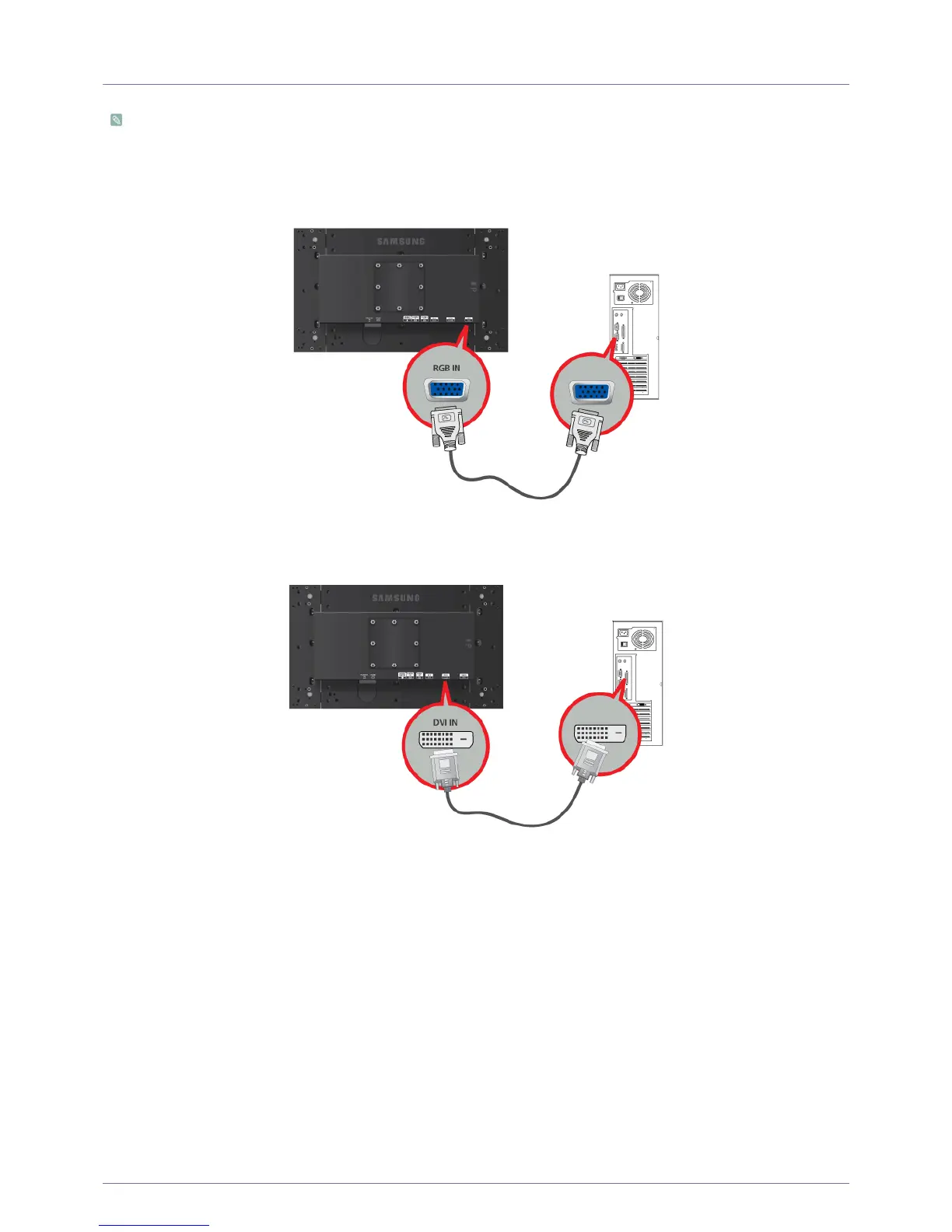
Connect the product to a PC depending on the video output supported by the PC.
• When the graphics card provides D-Sub (Analog) output.
•Connect the [RGB IN] port of the product to the [D-Sub] port of the PC with the D-Sub cable.
• When the graphics card provides DVI (Digital) output
• Connect the [DVI IN] port of the product to the DVI port of the PC with the DVI cable.
2.
Connect one end of the power cord to the [POWER] port of the Primary Monitor and connect the other end of the power cord to the
220V or 110V wall outlet.
(The input voltage is switched automatically.)






 To Next Page