2-3 Installing the Product
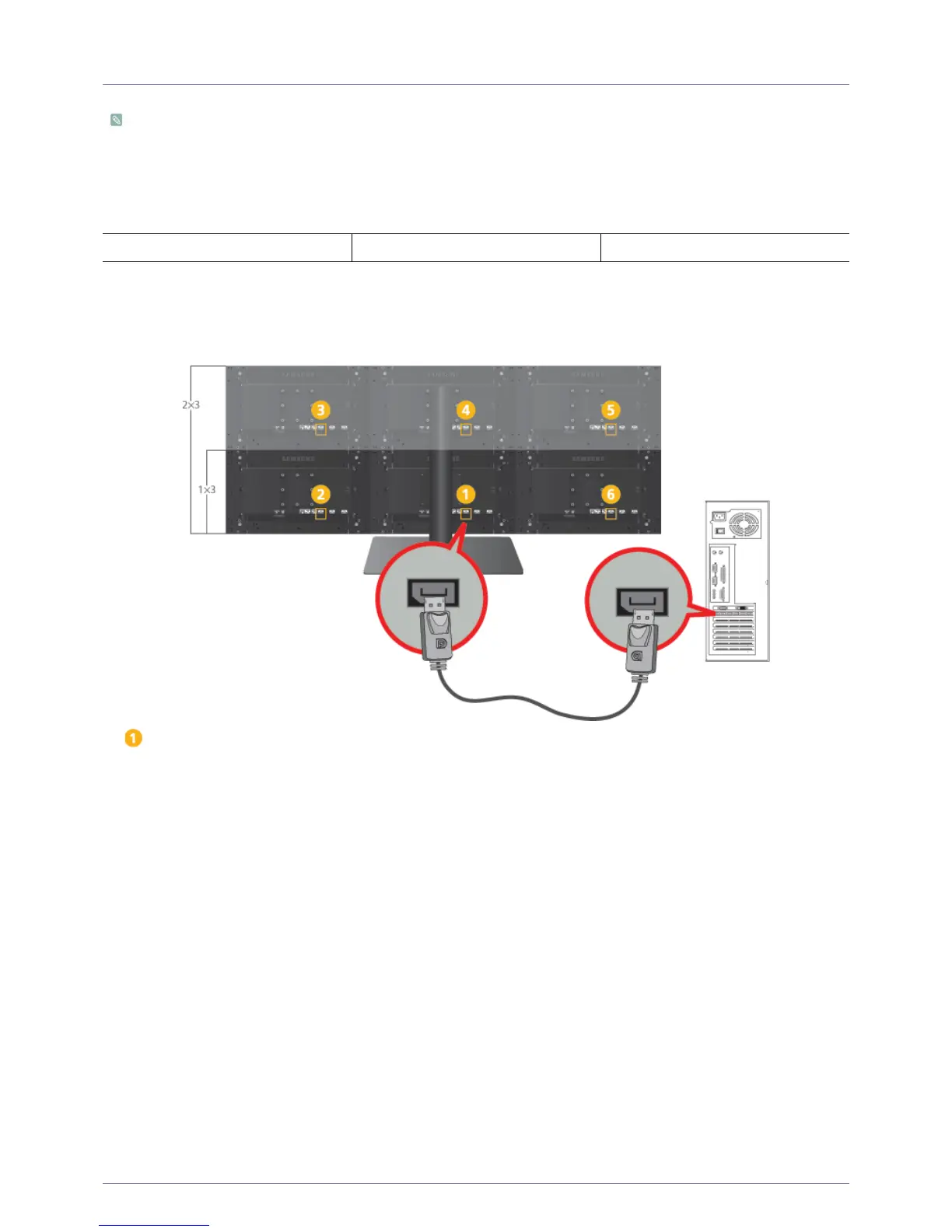
2-3 Connecting the Cables for 1 x 3 and 2 x 3
•For instructions on how to assemble 1 x 3 or 2 x 3, refer to the assembly guide provided with the product packaging.
•To connect DP cables, the PC must have DP ports.
• Connect the power cord and multi control pad to one of the installed monitors. This monitor becomes the primary
monitor.
• The cables don't have to be connected in a particular order, but we recommend the procedure below.
1. Using a Single Screen
1-1. Connecting the DP Cables
: Primary Monitor
1.
Connect the [DP] ports of the PC and all the installed monitors using DP cables.
Using a Single Screen Using Multiple Screens Specifying the Monitor Number






 To Next Page