Installing the Product 2-3
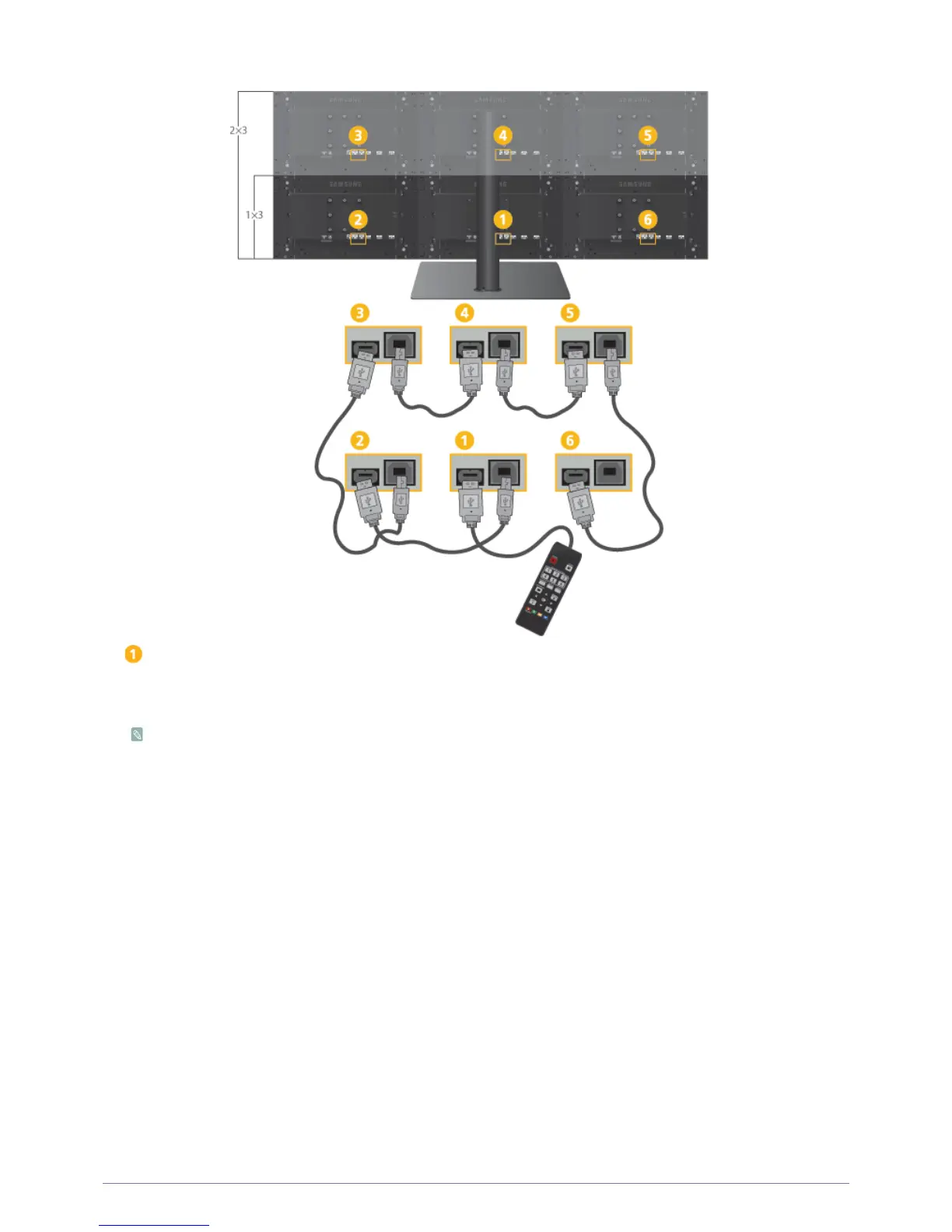
1-2. Connecting the Multi Control Pad
: Primary Monitor
1.
Connect the multi control pad to the primary monitor using a USB cable.
2.
Connect the [UP] port on the primary monitor to the [DOWN] port on one of the adjacent monitors using a USB cable.
• Monitors have no function buttons. To adjust functions, use the multi control pad.
• The monitors connected via USB cables can be controlled simultaneously by using the multi control pad.
A monitor which is not connected via a USB cable cannot be controlled.
• The multi control pad can be connected to any of the provided monitors.






 To Next Page