2-3 Installing the Product
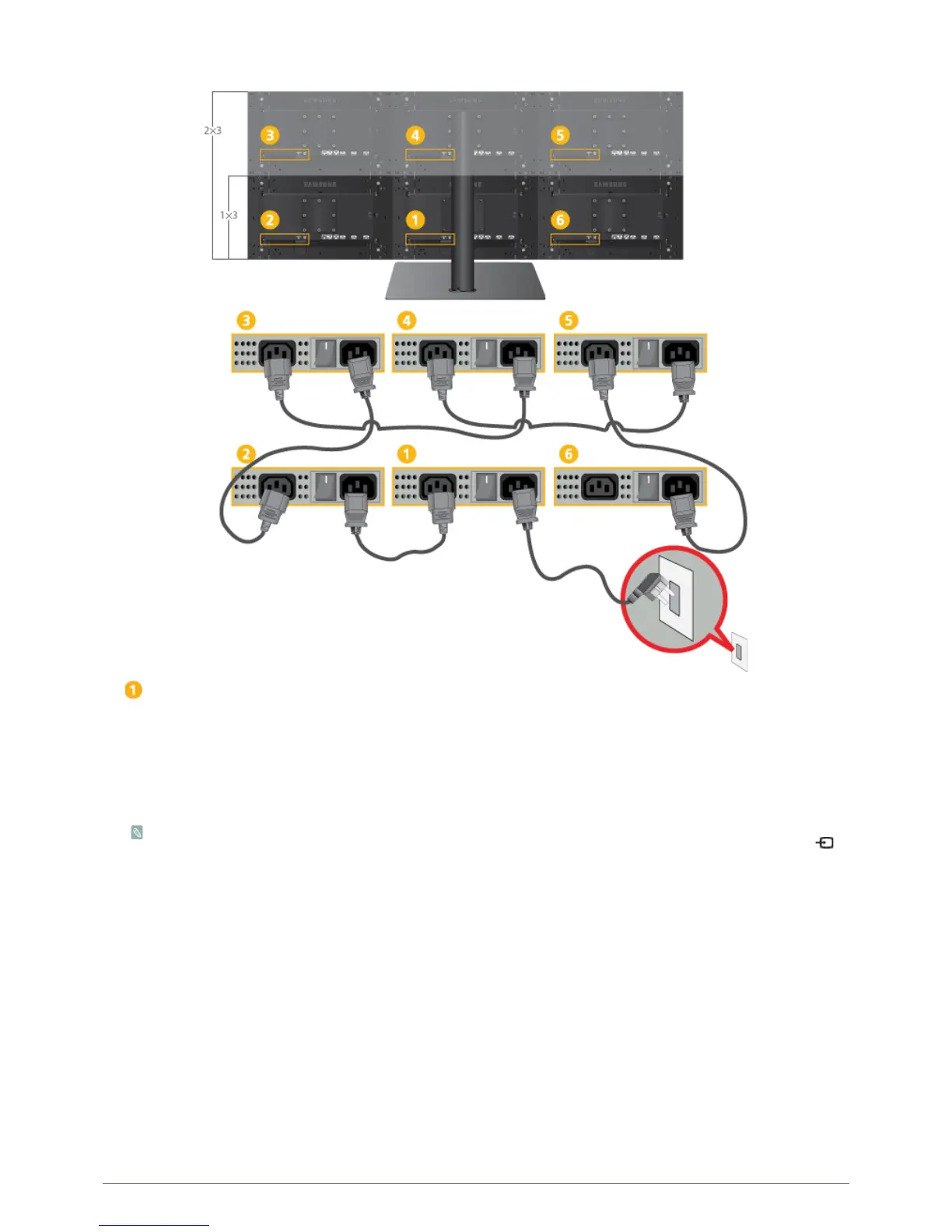
1-3. Connecting the Power Cord
: Primary Monitor
1.
Connect the primary monitor and the rest of the installed monitors using power cap cords.
2.
Connect one end of the power cord to the [POWER] port of the product and connect the other end of the power cord to the 220V or
110V wall outlet.
(The input voltage is switched automatically.)
3.
POWER S/W : Turns the product on and off.
• When the product is connected to a PC, you can turn the product on and use it.
•
If DP (<DP>) cables are used for the connection, select the input signal <DP> by pressing SELECT ALL and [
SOURCE
] on the multi control pad.
• The power cord can be connected to any of the provided monitors, as required. However, we recommend the connections
suggested above.






 To Next Page