4-1 Installing the Software
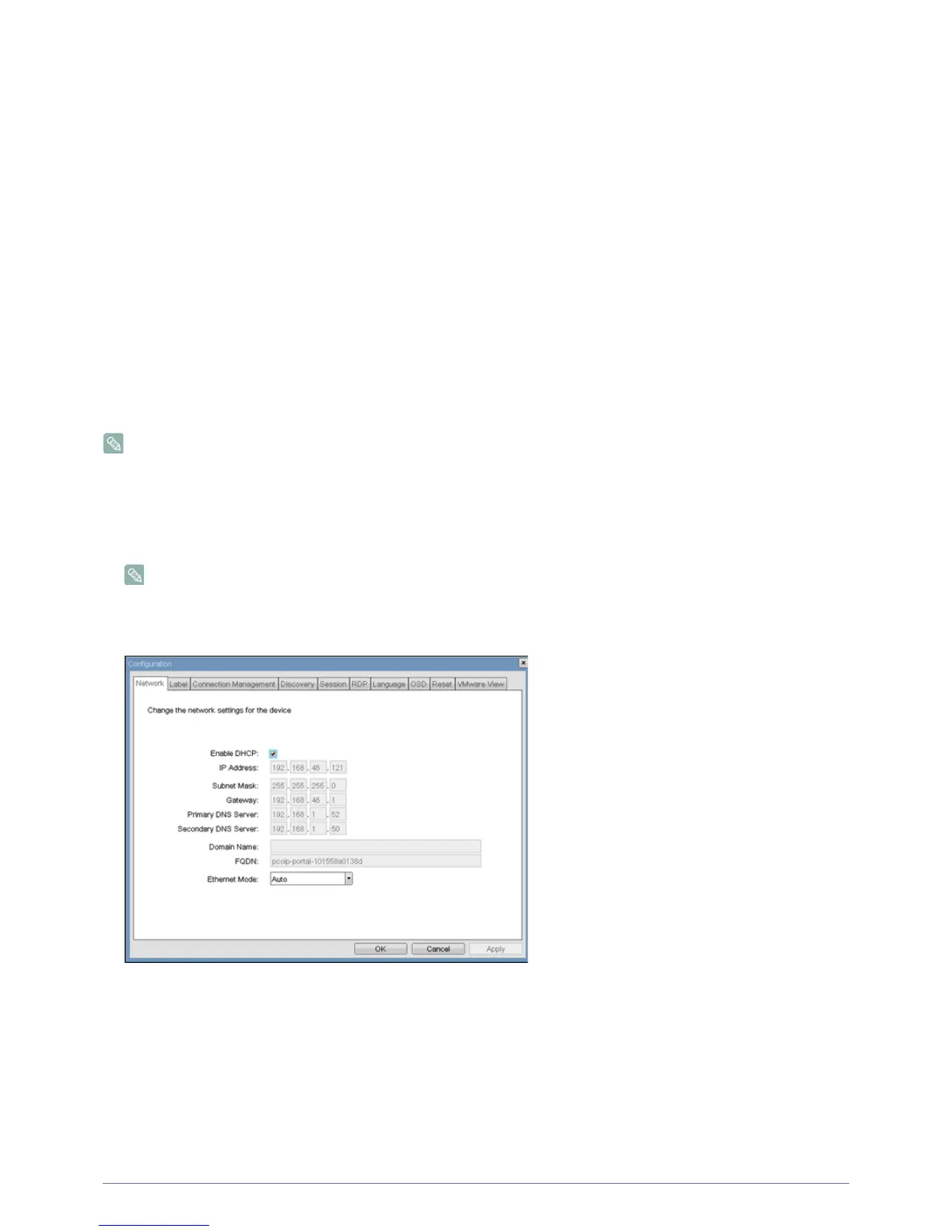
<Configuration> Window
The <Configuration> window allows the administrator to access window tabs with settings that define how the Portal operates
and interacts with its environment.
The tabs in the <Configuration> window are:
•<Network>
• <Label>
• <Connection Management>
• <Discovery>
• <Session>
• <RDP>
• <Language>
•<OSD>
•<Reset>
• <VMware View>
Each tab has <OK>, <Cancel>, and <Apply> buttons that allow the administrator to accept or cancel the setting changes made on
the tab.
Some PCoIP devices have password protection disabled and do not require a password to login into the administration
webpages or access the OSD parameters. Password protection for the Log In page and OSD can be enabled through
PCoIP Management Console.
<Network> Tab
The <Network> tab allows an administrator to set the Portal network parameters.
The Network parameters can also be configured using the Webpage Administration Interface.
<Network> Configuration
• <Enable DHCP>
When <Enable DHCP> is enabled, the device will contact a DHCP server to be assigned an IP address, subnet mask,
gateway IP address and DNS servers. When disabled, the device requires these parameters to be set manually.
• <IP Address>
The IP Address field is the device’s <IP address>. If DHCP is disabled, this field is required. If DHCP is enabled, this field
is not editable. This field must be a valid IP address, and if an invalid IP address is entered, the OSD will prompt the
administrator to correct it.
• <Subnet Mask>
The <Subnet Mask> field is the device’s subnet mask. If DHCP is disabled, this field is required. If DHCP is enabled, this
field is not editable. This field must be a valid subnet mask, if an invalid subnet mask is entered, the OSD will prompt the
Figure 2-4:













 To Next Page