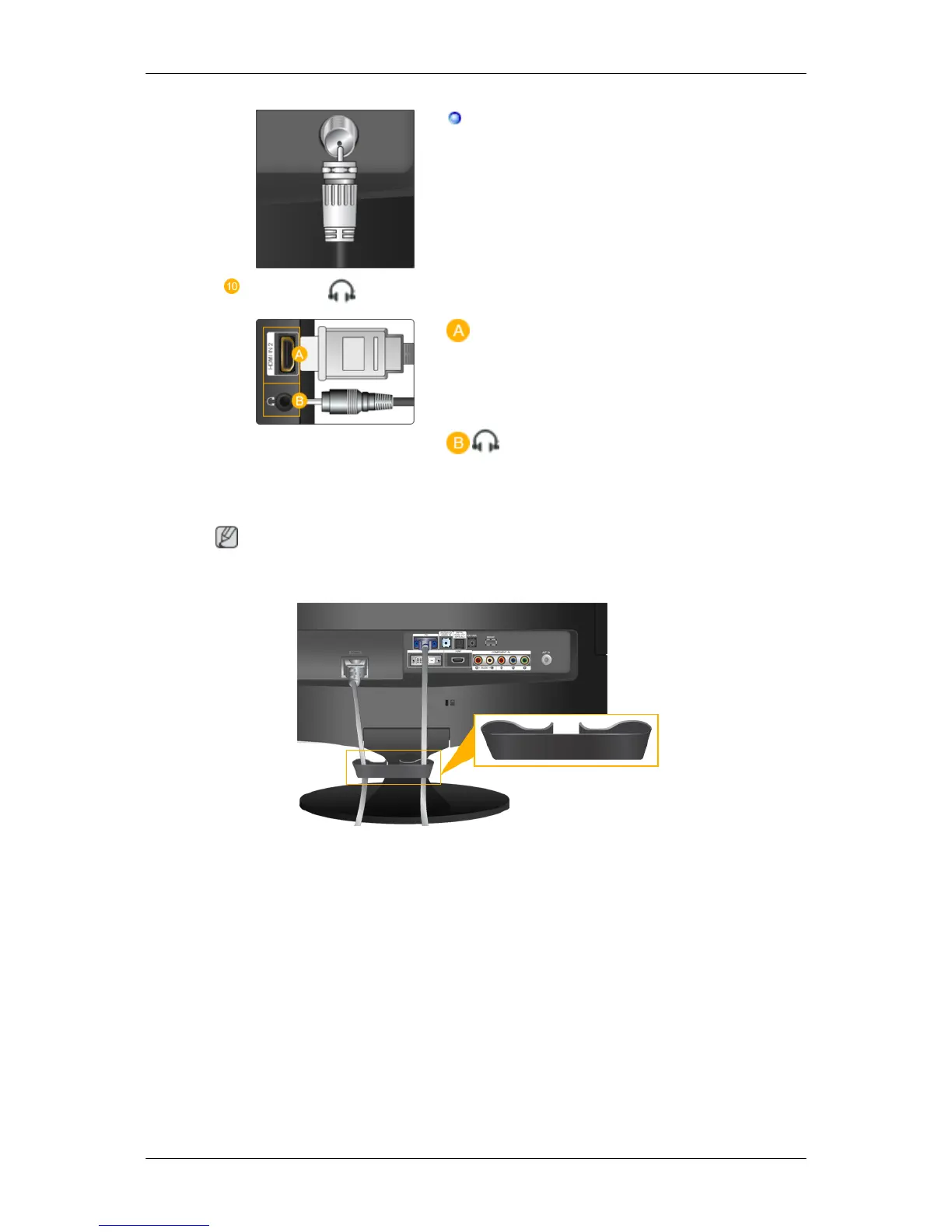
Connect the CATV cable or TV antenna cable
to the "ANT IN" port on the rear side of the prod-
uct. Make sure to use a TV antenna cable (sold
separately) as the antenna cable.
HDMI IN 2 /
HDMI IN 2
Connect the [HDMI IN 2] terminal at the back of
your product to the HDMI terminal of your digital
output device using a HDMI cable.
Connect your headphones to the Headphone con-
nection terminal.
Note
See Connecting Cables for further information regarding cable connections.
Cable holding ring
• Fix the cables using the holding ring, as shown in the figure.
Remote Control
Introduction













 To Next Page