Samsung Electronics 23
No Parts Procedure Remark
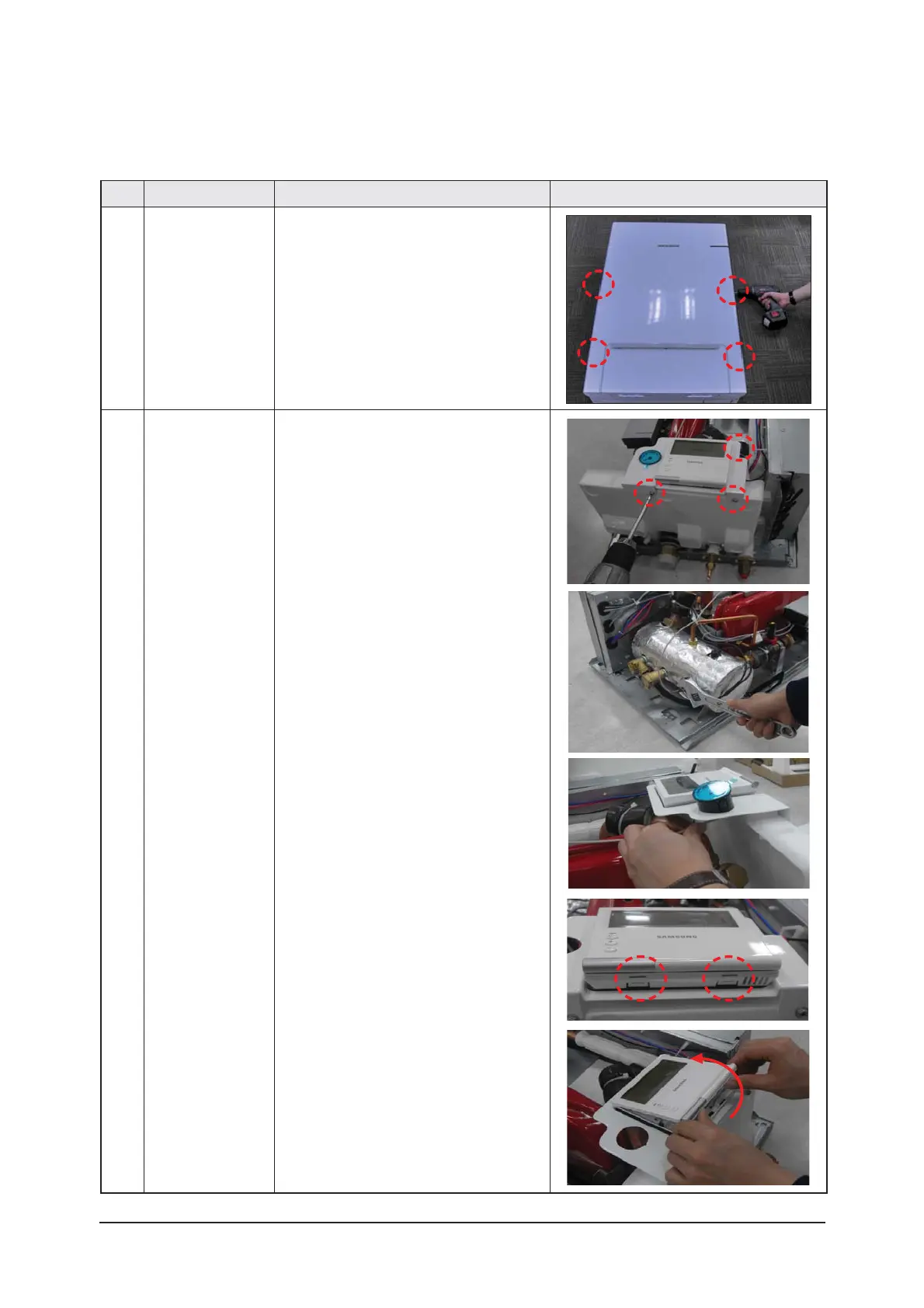
1 Panel 1) Remove 4 cover screws from the Hydro Unit.
(Use + Screw Driver)
2 Controller
&
Manometer
1) Remove 3 screws from it.
(Use + Screw Driver)
2) Remove pressure sensor by adjustable wrench.
(Use adjustable wrench-230kgf·cm)
3) Pull the manometer out.
4) Push the 2 hooks of cover.
5) Pull the bottom of remocon body up.
3-2-1 Hydro Unit
AE160MNYD
✳
/AE090MNYD
✳
Be sure that the power switch is in the OFF and the power source cord shall be unplugged prior to disassembly and reassembly works.




 To Next Page