OPERATION
22
Viewing the Display
The display identifies the current channel and the status
of certain audio-video settings.
▼
The on-screen displays
disappear after ten seconds.
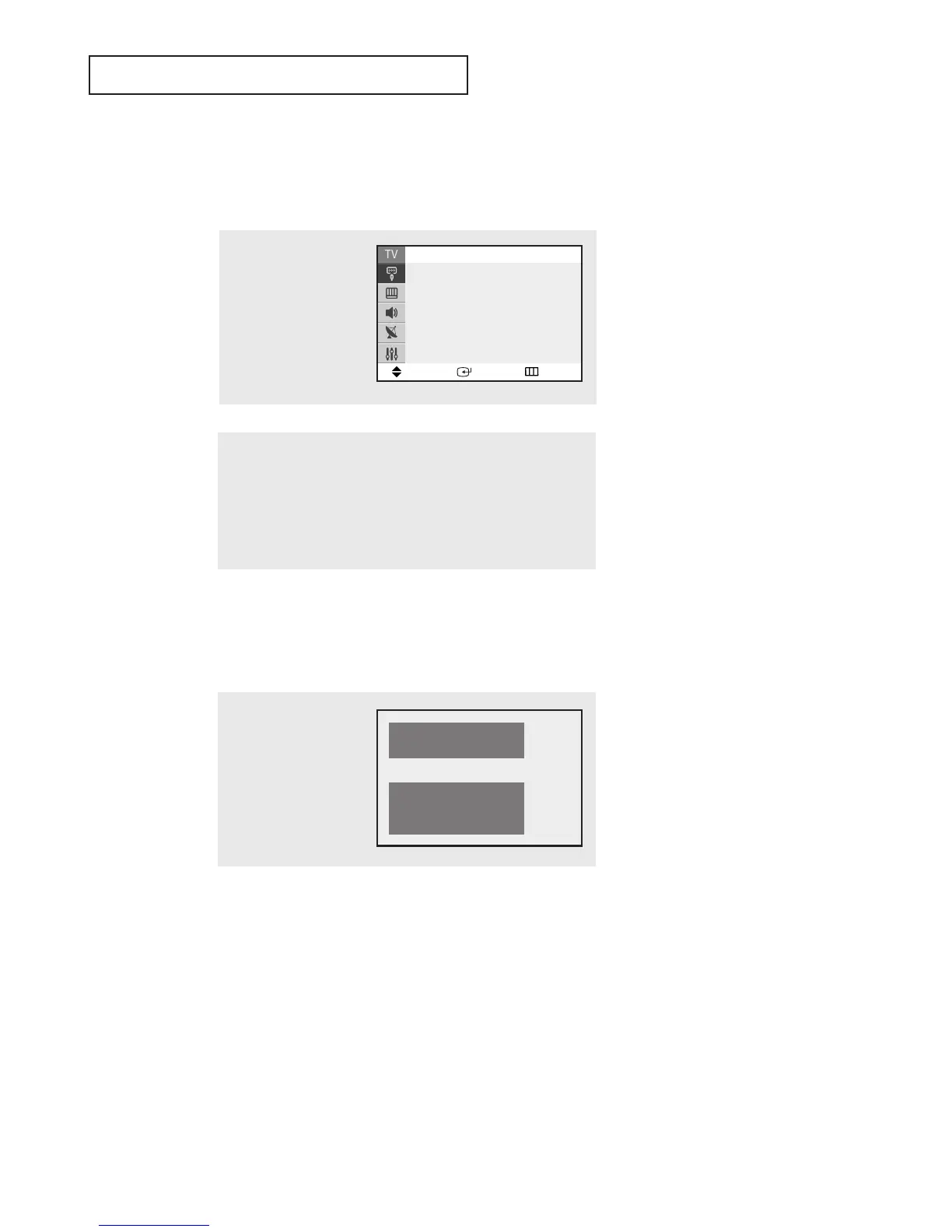
Viewing the Menus and On-Screen Displays
Viewing the Menus
▼
1
With the power on, press
the MENU button.
The main menu appears on
the screen. Its left side has
five icons: Input, Picture,
Sound, Channel and Setup.
The on-screen menus disappear
from the screen after two minutes.
▼
You can also use the MENU, CH
and VOL buttons on the control
panel of the TV to make selections.
1
Press the INFO button.
The on-screen display
shows any or all of the fol-
lowing: Active channel,
the channel label, signal,
picture mode, sound mode,
MTS and the current time.
2
Use the ▲ and ▼ buttons to highlight one of the 5 icons.
Then press the ENTER button to access the icon’s sub-menu.
3
Press the EXIT button to exit.
Move Enter Exit
Source List : TV
√√
Edit Name
√√
Input
Air 10
Signal : Mono
Picture : Dynamic
Sound : Custom
MTS : Stereo
12 : 00 am




 To Next Page